

Eway
Connect Eway to PayLexer to accept card payments across Australia, New Zealand, and select APAC markets through a secure hosted checkout.
Eway is an Australia and Asia-Pacific focused payment gateway that processes card payments through a secure, hosted checkout page. Through PayLexer, Eway supports one-time card payments with separate Test (Sandbox) and Live (Production) environments so you can validate the full payment flow before going live.
- Supported Regions (Merchant Accounts): Australia, New Zealand, and select APAC markets
- Supported Currencies: AUD, NZD, SGD, HKD, MYR
Supported Features
- Card payments via Eway's hosted Responsive Shared Page checkout
- Test (Sandbox) and Live (Production) environments with isolated credentials
- Coverage across Australia, New Zealand, and select APAC markets
- One-time payments only - subscriptions and refunds are not supported through PayLexer for Eway
Before You Start
Make sure you have:
- Eway Account – Don't have one? Sign up for Eway →
- PayLexer Account – Required to configure the integration. Create your account →
- A website where you want to integrate
Looking for a different payment processor? View all supported gateways →
Configuring Eway
You need an API Key and API Password from Eway for this integration. Eway issues separate credentials for Sandbox (test) and Live (production) environments.
Getting API Credentials
The retrieval flow is identical in both the Sandbox and Live portals - only the URL differs. Open the Sandbox Business Centre for test credentials or the Live Business Centre for production credentials, then follow the steps below. Repeat for the other environment.
Open the API Key section
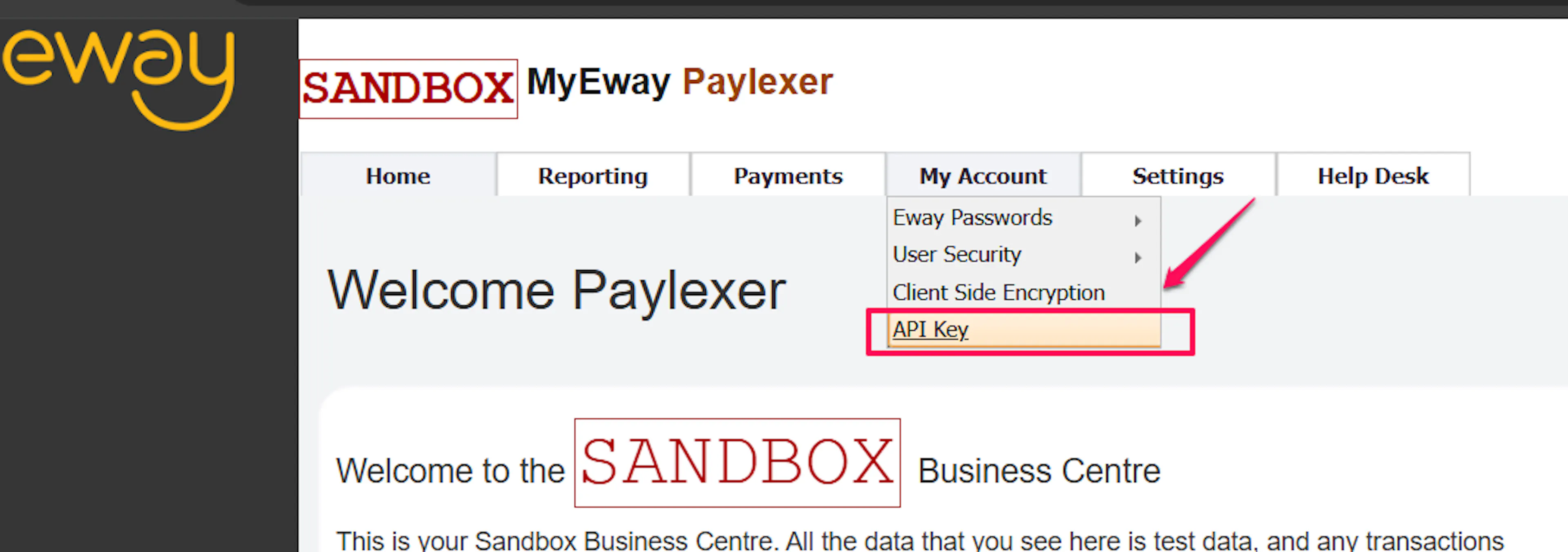
From the top navigation, choose My Account, then select API Key from the dropdown.
Copy your API Key and API Password
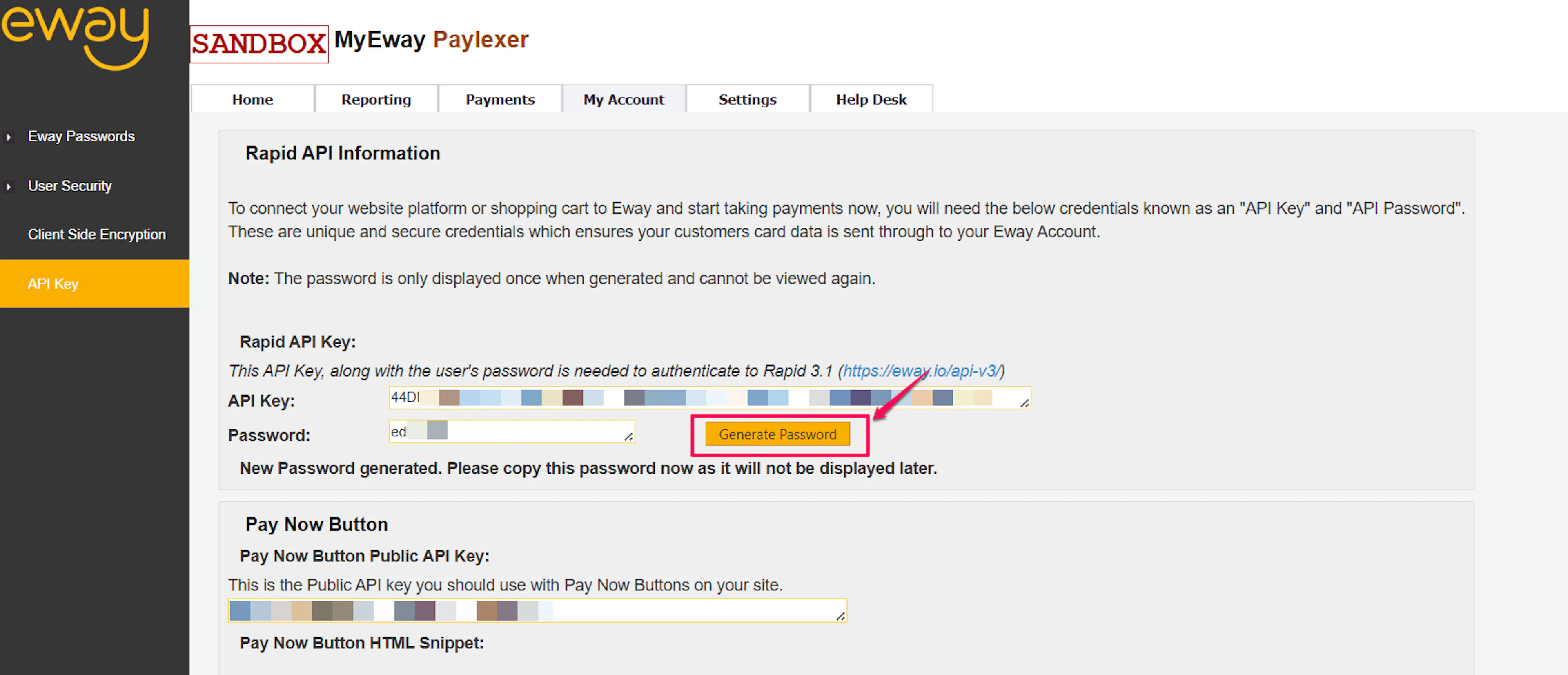
Copy the API Key value shown on the page. If a password is not displayed, click Generate New Password and copy the API Password before navigating away - Eway shows the password only once.
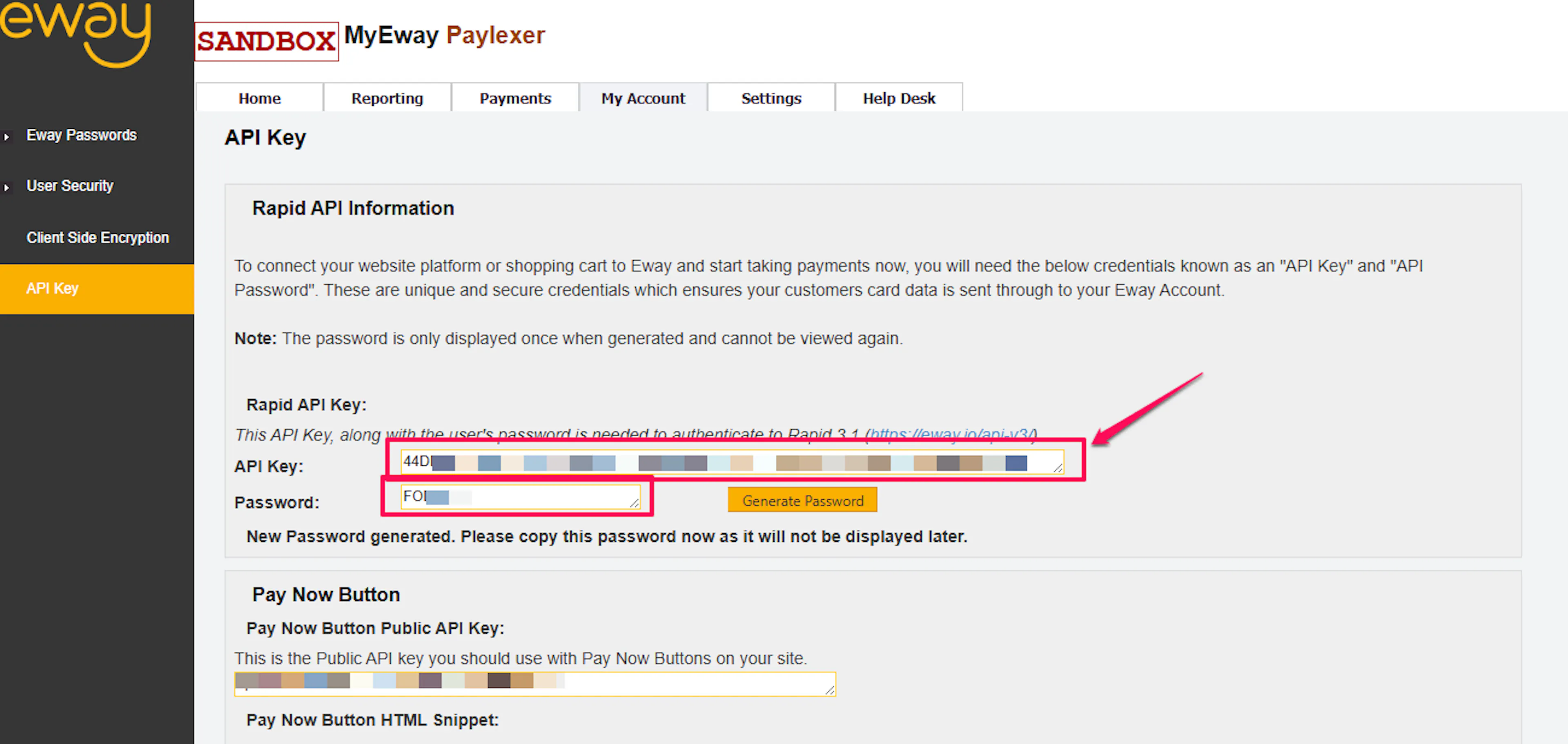
The API Password is shown only at the moment it is generated. Paste it into PayLexer immediately, or store it in a secure password manager.
Adding Credentials to PayLexer
Open PayLexer Dashboard
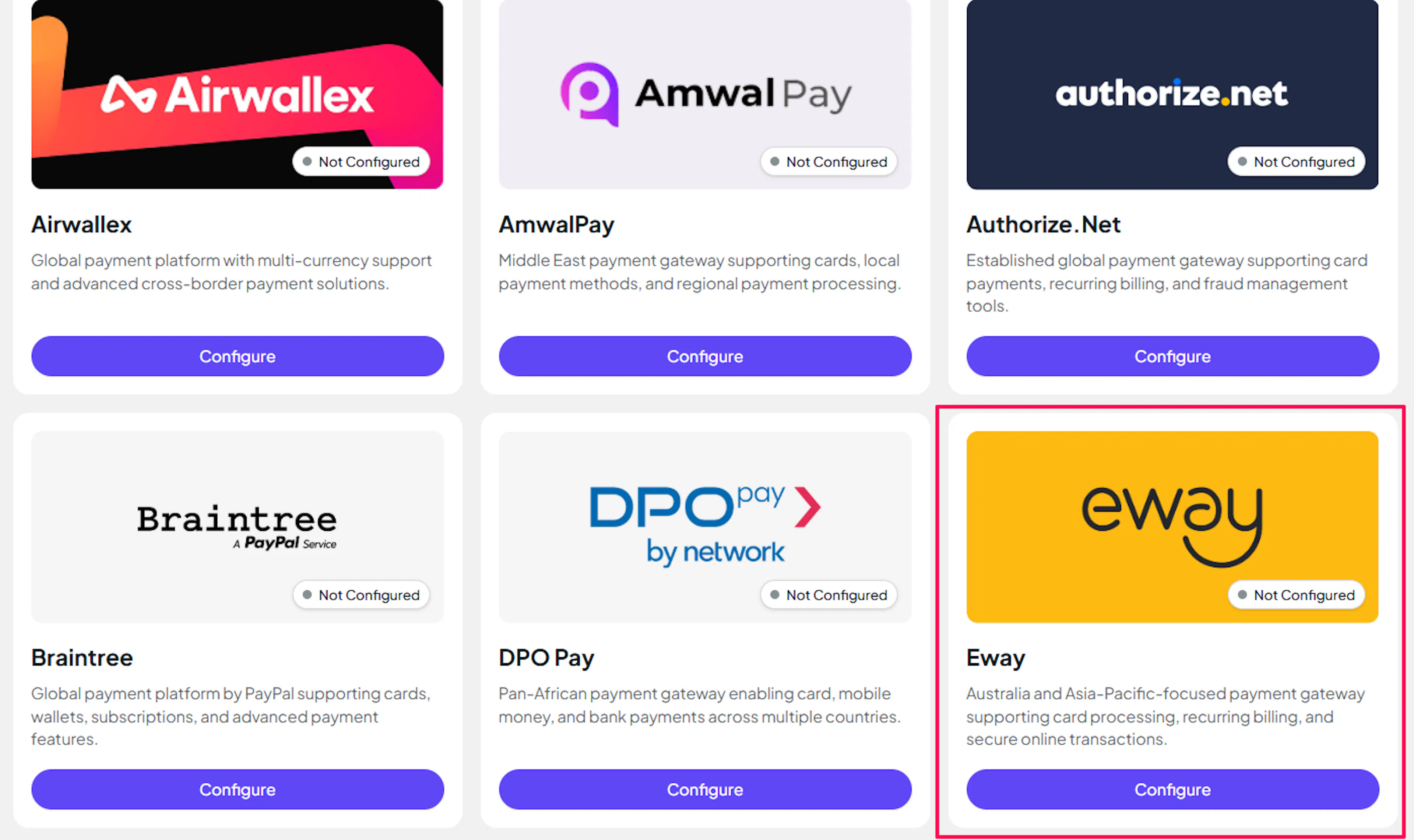
Log in to your PayLexer dashboard and navigate to Payment Gateways → Eway.
Enter your credentials
Paste your Live and Test credentials into the respective fields:
- API Key - the Live API Key from the Eway Business Centre
- API Password - the Live API Password from the Eway Business Centre
- Sandbox API Key - the Sandbox API Key from the Sandbox Business Centre
- Sandbox API Password - the Sandbox API Password from the Sandbox Business Centre
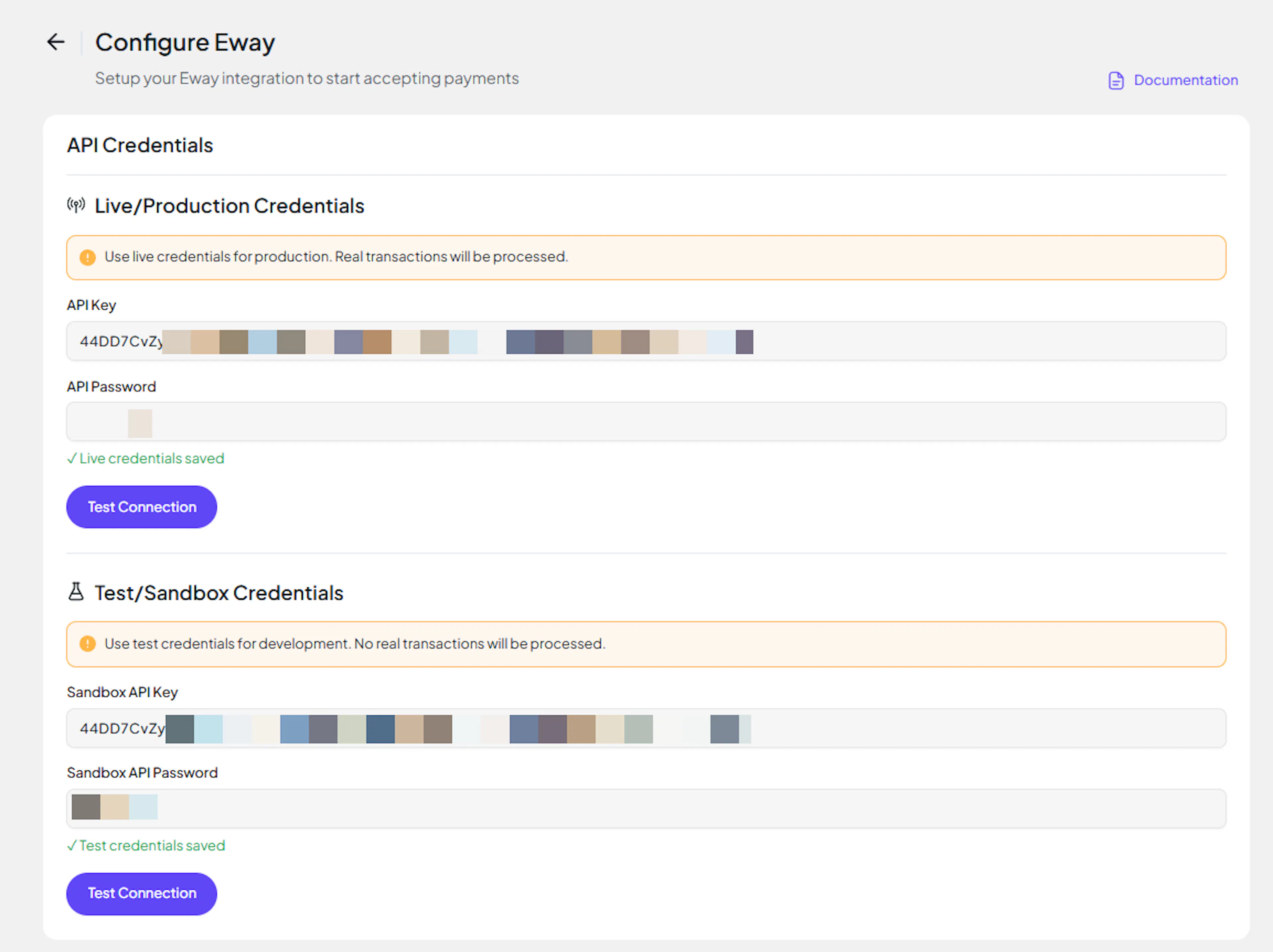
Understanding Live/Production and Sandbox Settings:
| Environment | Purpose |
|---|---|
| Live / Production (Mandatory) | Used for real transactions. Cannot be empty, even when testing. |
| Test / Sandbox (Optional) | Used for testing only. No real money is processed. |
How PayLexer selects credentials:
- Debug/Test mode ON → Test credentials are used
- Debug/Test mode OFF → Live credentials are used
Save your configuration
Click Save. PayLexer validates the credentials against Eway's API and shows Connected if both environments authenticate successfully.
Credentials saved. You can now enable Eway on any of your websites.
Webhooks (Not Supported)
Eway does not support server-to-server webhook notifications. There is no Webhook Secret field to configure.
- Payment status is reconciled using Eway's redirect callback when the customer returns after checkout
- A scheduled polling fallback handles payments where the redirect does not complete (for example, if the customer closes the browser)
- Polling runs every few minutes and processes Eway payments that have been pending for at least 30 minutes
Integrate Eway to Your Website
If you have already added and configured your site, you can enable Eway in your existing setup.
Go to Websites
Navigate to Websites in your PayLexer dashboard.
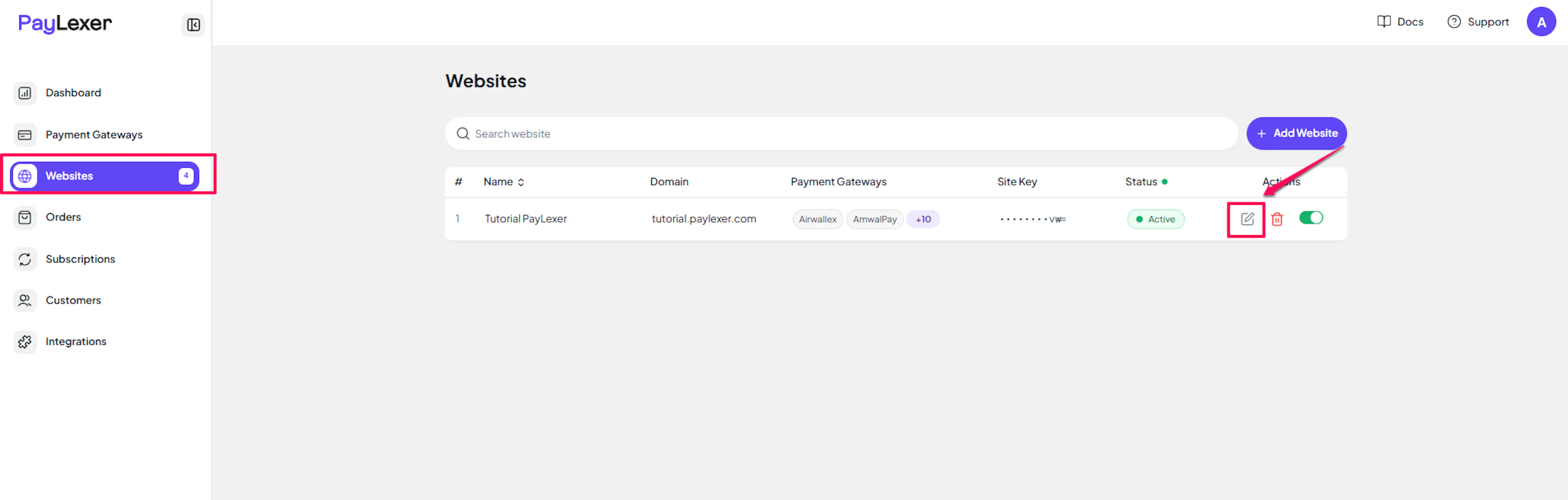
Edit your website
Click the Edit Icon of your added website.
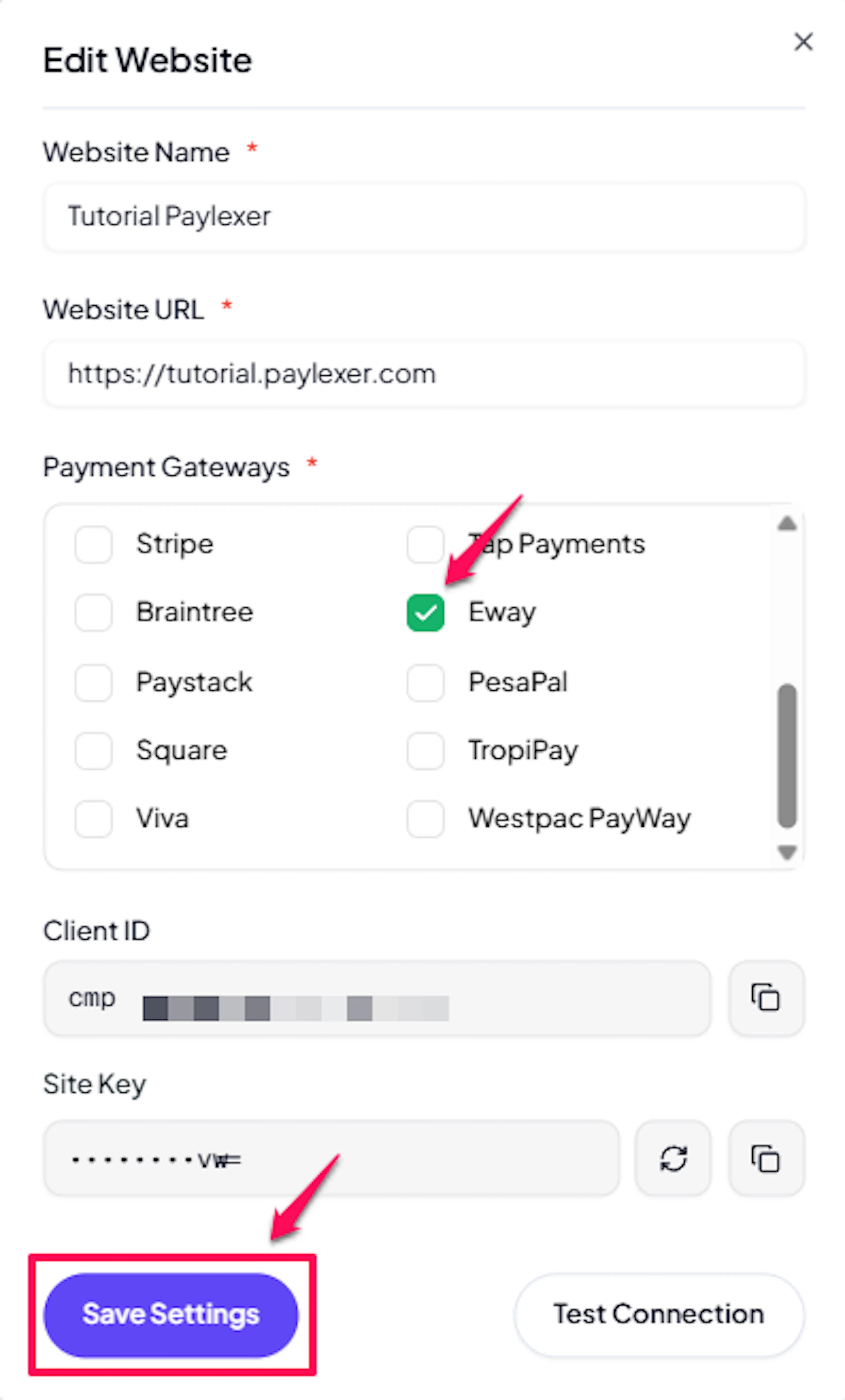
Enable Eway
Click the checkbox to enable Eway for the website.
Eway is now active for this website. Run a test transaction before switching off Debug/Test mode.
If you haven't added a website yet, Continue to Add Your Website →
Troubleshooting
Best Practices
- Run at least one full test transaction in Sandbox before switching Debug/Test mode off. Use your platform's Test Mode toggle and your Sandbox credentials together.
- Use HTTPS return URLs in production. Eway rejects non-HTTPS return URLs for Live transactions, which causes payment creation to fail before the customer ever reaches the hosted checkout page.
- Keep your API Password masked at all times. Never paste it into chat, email, or a support ticket. If you suspect it has been exposed, regenerate it from the Eway Business Centre and update PayLexer immediately.
- Confirm the checkout currency matches your Eway merchant account configuration. If your Eway account is configured for AUD only, sending NZD will be rejected by Eway.
- Use a unique Invoice Reference or order ID per transaction so reconciliation against the Eway Business Centre stays unambiguous.
FAQs
Still Have Questions?
- Eway Support: Eway Help Center
- PayLexer Support: Contact Support
For Eway API references and advanced configuration, see the Eway API documentation.