

Tazapay
Connect Tazapay to PayLexer to accept cards and 80+ local payment methods across 170+ countries, with collection and settlement in 35 currencies.
Tazapay is a Singapore-based cross-border payment platform built for businesses selling into more than one country. Through a single integration, Tazapay lets merchants accept international and local cards alongside the local payment methods customers actually use in each market, including bank transfers, e-wallets and real-time payment rails such as PayNow.
Through PayLexer, you can use Tazapay in 35 currencies, each supported for invoicing, collection and settlement, so you can bill, collect and be paid out in the same currency without a forced conversion. Customers complete payment on Tazapay's own hosted page, so card details never touch your website.
- Supported Regions (Merchant Accounts): 170+ countries across Asia, Europe, North America, Latin America, the Middle East, Africa and Oceania - view full list
- Supported Currencies: AED, AUD, BRL, CAD, CHF, CNY, EUR, GBP, HKD, USD - view full list
Supported Features
- Hosted checkout that redirects shoppers to Tazapay's secure payment page
- International and local card payments
- 80+ local payment methods, including bank transfers and e-wallets
- Collection and settlement in 35 currencies
- Full refunds and partial refunds, including several partial refunds against one payment
- Real-time webhook notifications for payments and refunds, secured with HMAC-SHA256 signatures
- Automatic recording of refunds issued directly inside the Tazapay dashboard
- Separate test and live credentials for safe testing
Tazapay does not support subscriptions or recurring billing in PayLexer. Tazapay has no API for saving a payment method or scheduling future charges, so only one-time payments are available.
Before You Start
Make sure you have:
- Tazapay Account – Don't have one? Sign up to Tazapay →
- PayLexer Account – Required to configure the integration. Create your account →
- A website where you want to integrate
Looking for a different payment processor? View all supported gateways →
Configuring Tazapay
You need an API Key and an API Secret from Tazapay for this integration.
Tazapay has separate sandbox and live dashboards with different keys. Keys are not interchangeable and don’t indicate their environment. Always use sandbox keys for sandbox fields and live keys for live fields.
Getting API Credentials
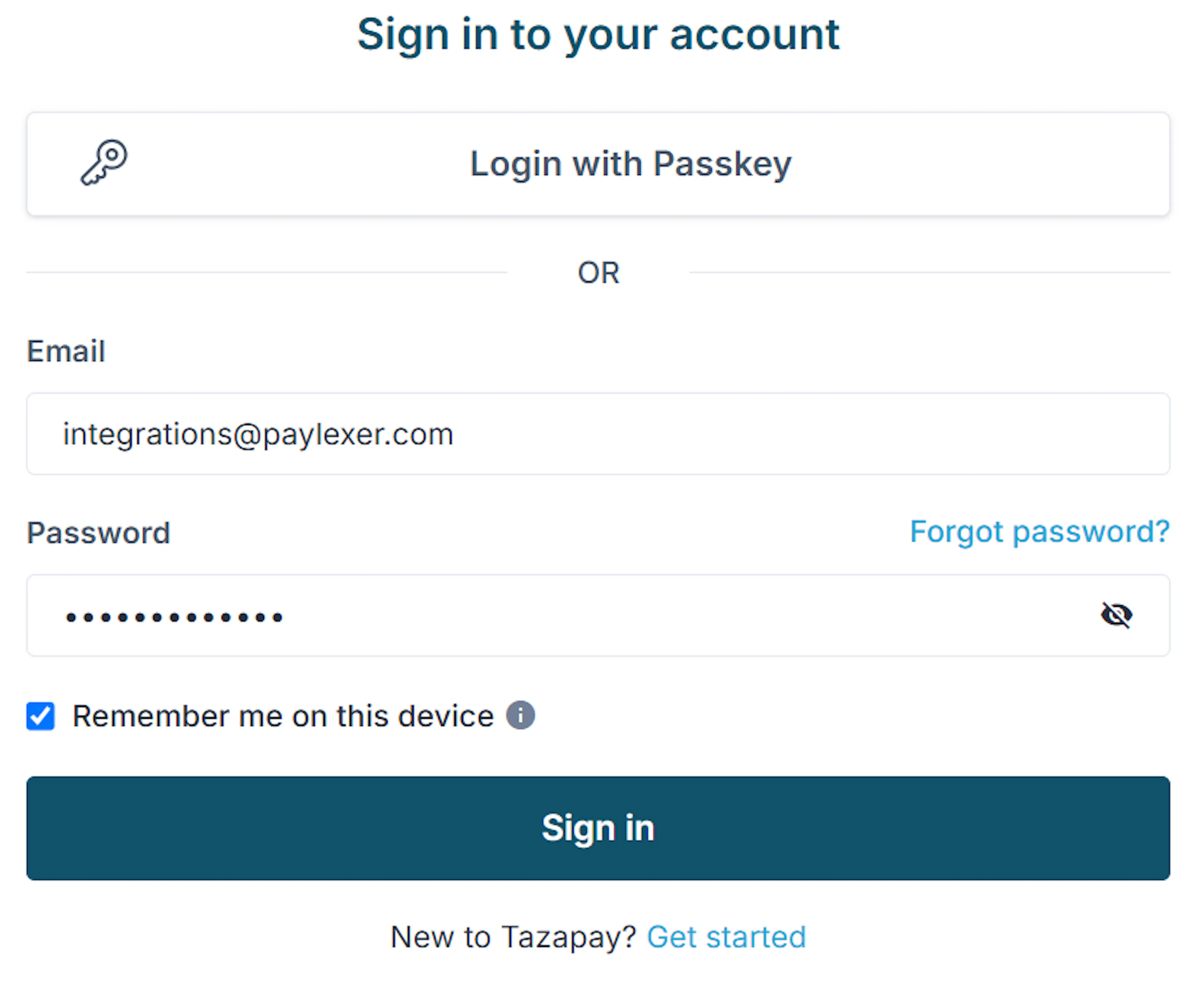
Sign in to the right Tazapay dashboard
For testing, sign in at the Tazapay sandbox dashboard. For live payments, sign in at the Tazapay live dashboard.
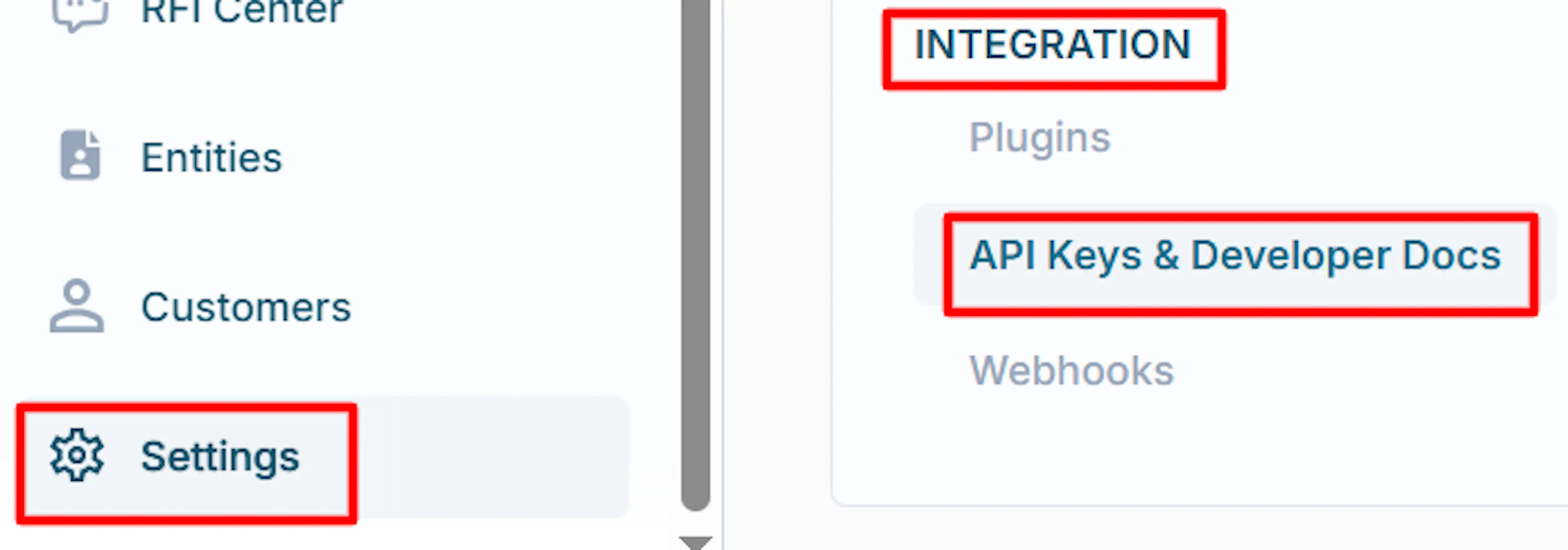
Open the API keys page
In the left-hand menu, click Settings, then open Integration → API Keys and Developer Docs.
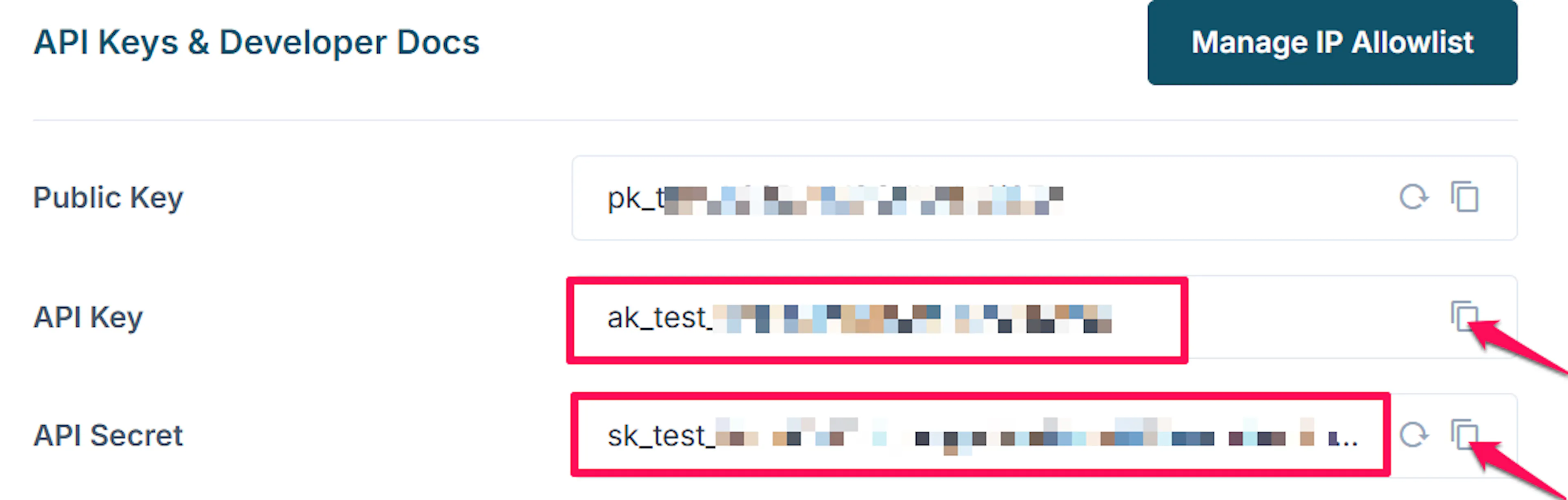
Copy your API Key and API Secret
Copy both values. Keep the API Secret private: it authenticates every request made on your behalf and should never be shared or committed to a repository.
Sandbox keys are available after email verification. Live keys require Tazapay KYB approval, which usually takes a few business days. You can build and test in sandbox while waiting.
Adding Credentials to PayLexer
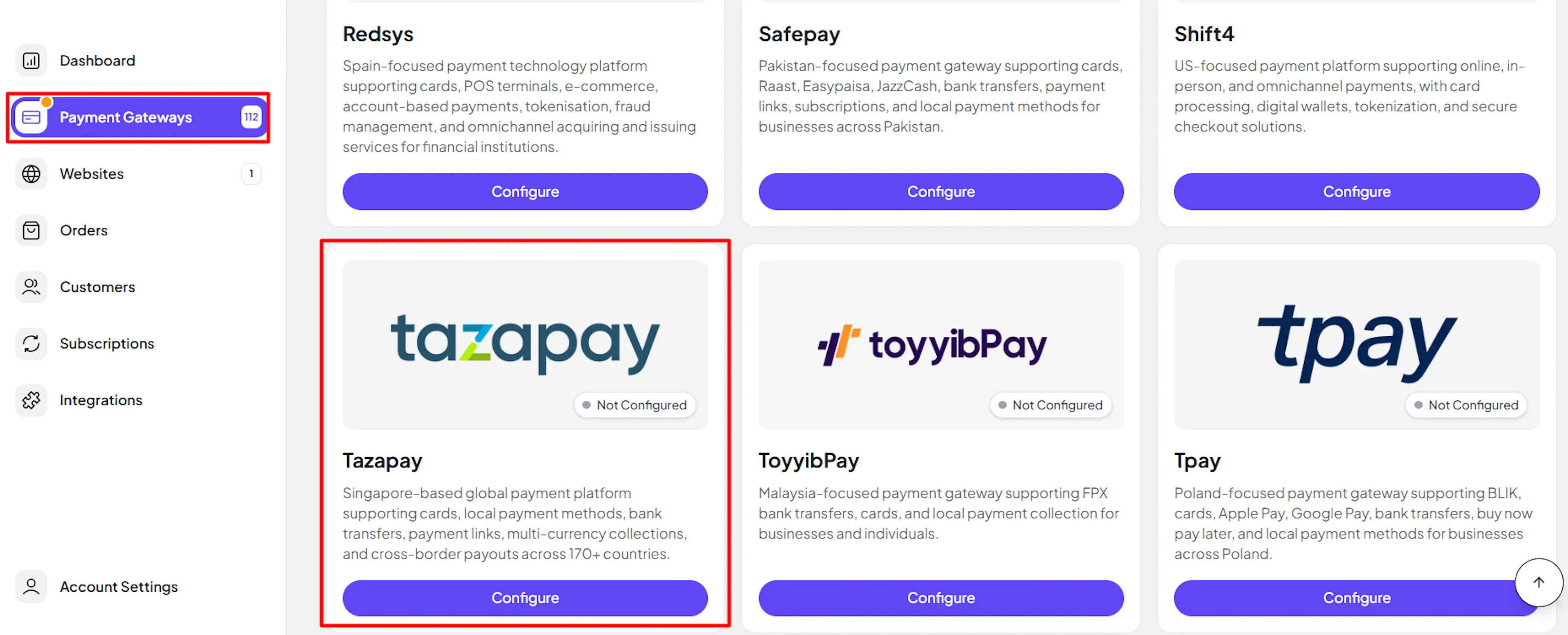
Open PayLexer Dashboard
Log in to your PayLexer dashboard and navigate to Payment Gateways → Tazapay.
Enter your credentials
Paste the API Key and API Secret you copied from Tazapay into the corresponding fields. In test mode the fields are labelled API Key (Sandbox) and API Secret (Sandbox).
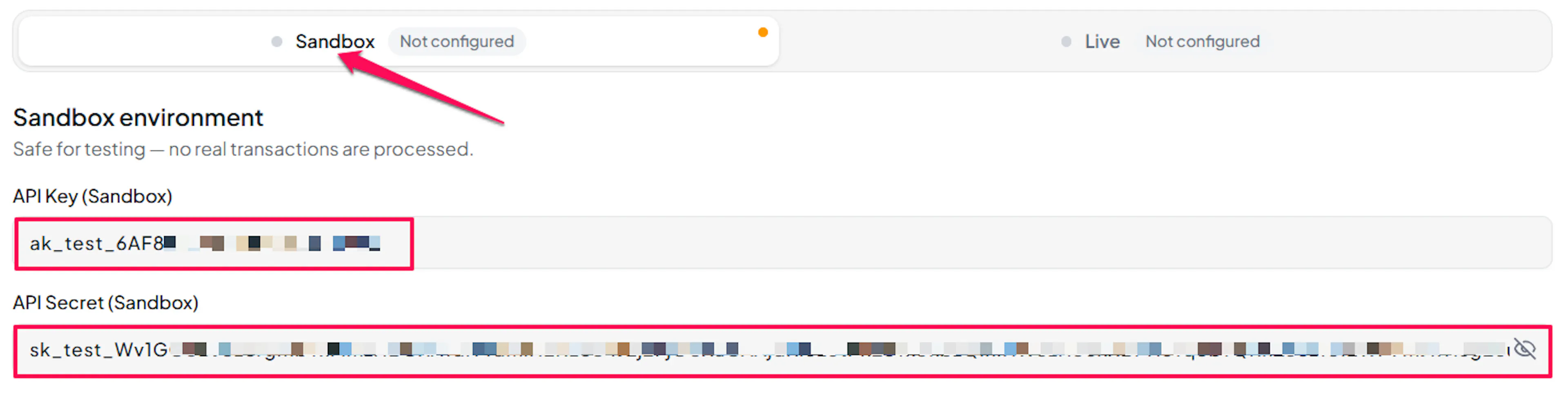
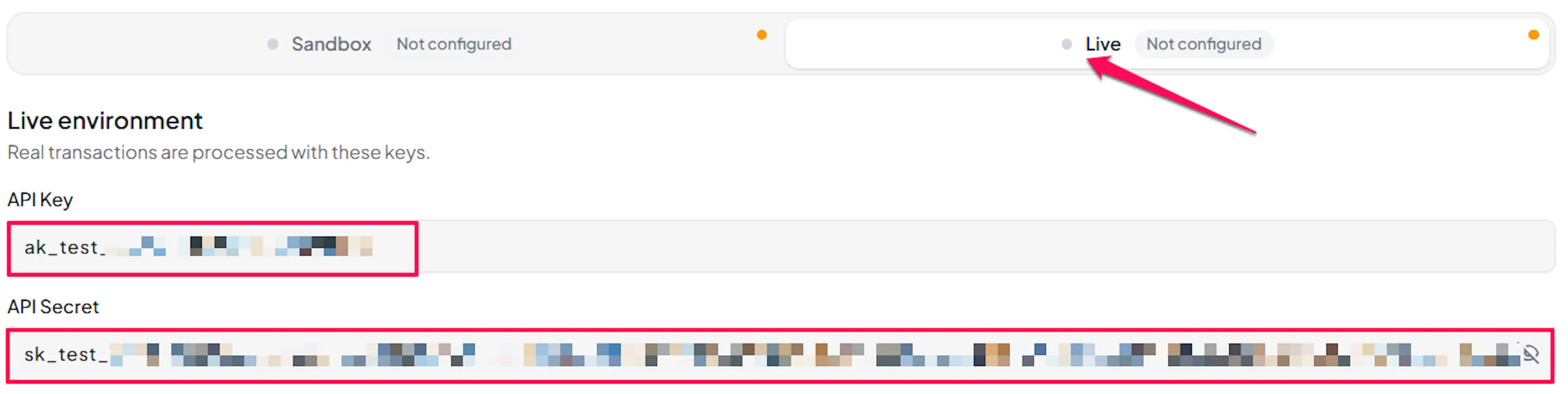
Understanding Live/Production and Sandbox Settings:
| Environment | Purpose |
|---|---|
| Live / Production (Mandatory) | Used for real transactions. Cannot be empty, even when testing. |
| Test / Sandbox (Optional) | Used for testing only. No real money is processed. |
How PayLexer selects credentials:
- Debug/Test mode ON → Test credentials are used
- Debug/Test mode OFF → Live credentials are used
Configuring Webhooks (Mandatory)
Webhooks enable real-time payment updates and significantly improve reliability.
Benefits of Webhooks:
- Instant payment status updates
- Automatic refund processing
Copy your PayLexer webhook URL
On the Payment Gateways → Tazapay page in PayLexer, copy the Webhook URL. It is generated for your account and shown as a read-only field.

Open the Webhooks page in Tazapay
In your Tazapay dashboard, go to Settings → Webhooks. Use the same dashboard the keys came from: sandbox webhooks are configured in the sandbox dashboard, live webhooks in the live dashboard.
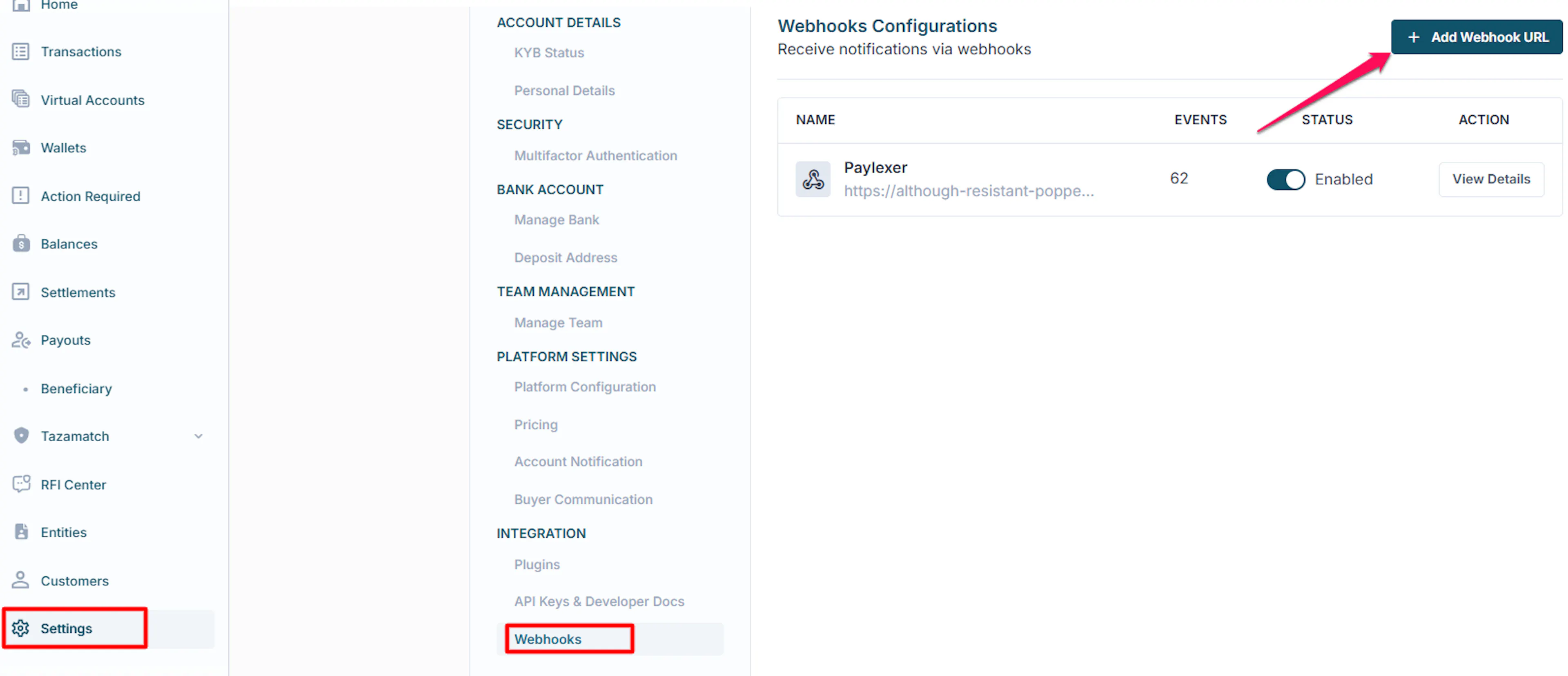
Add the PayLexer webhook URL
Paste the PayLexer webhook URL into the endpoint field, select all payment and refund events, and save.
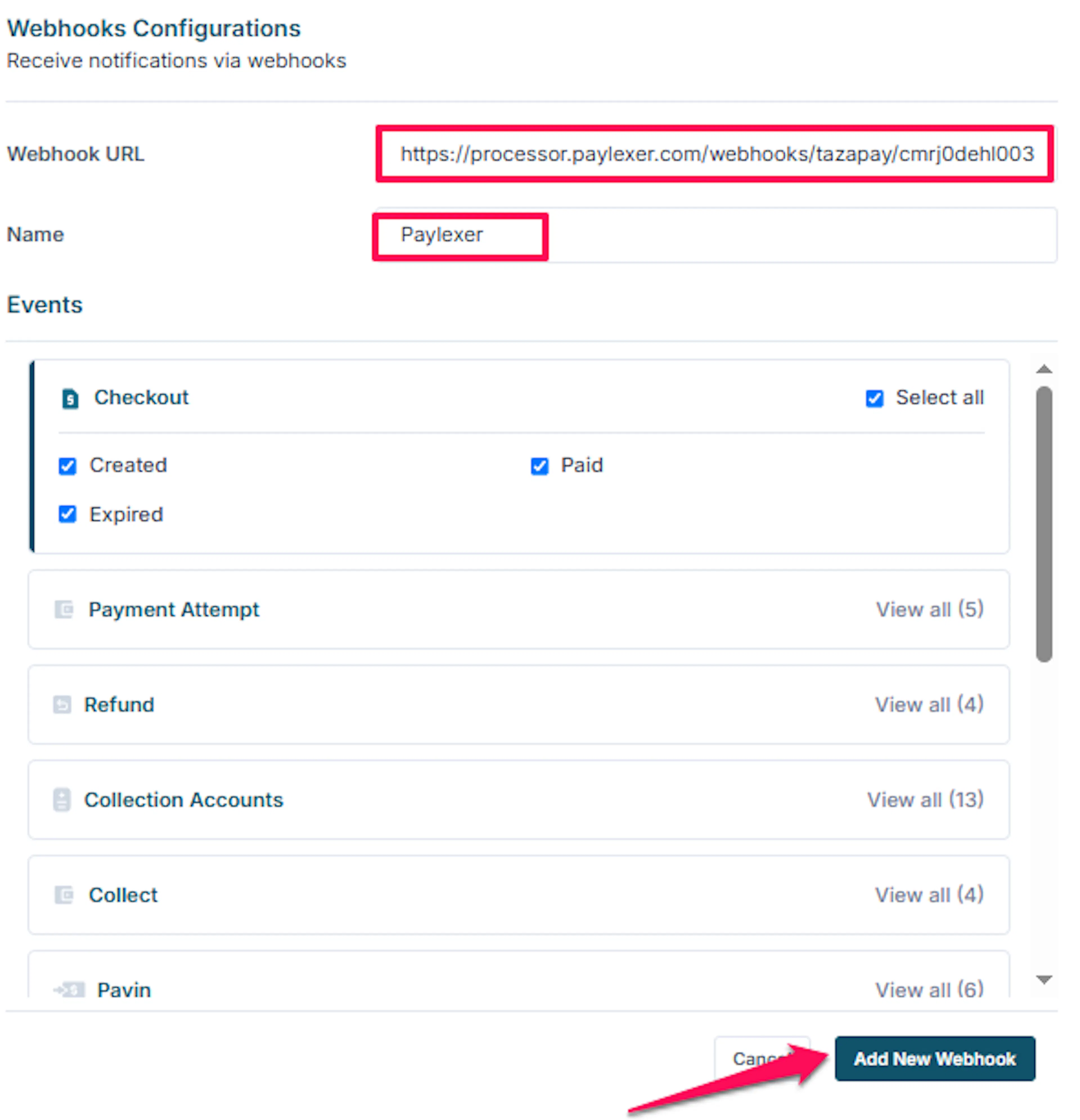
Tazapay uses a single webhook URL for your whole account rather than one per payment, and payment confirmations are delivered to it. If this is left blank, orders may stay pending even after a customer has paid.
Copy the secret token into PayLexer
On the same Tazapay Webhooks page, click Reveal and copy the secret token. Back in PayLexer, paste it into the Webhook Secret Token field.
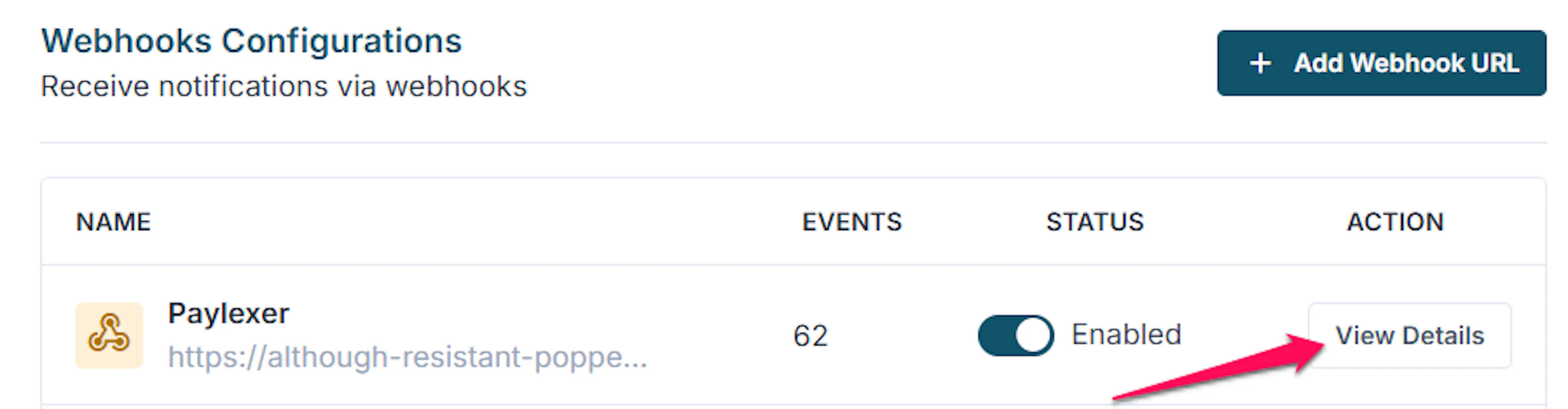


This field is required. PayLexer uses the secret token to verify Tazapay notifications. If it’s missing or incorrect, all notifications are rejected and paid orders remain pending.
Test and Save
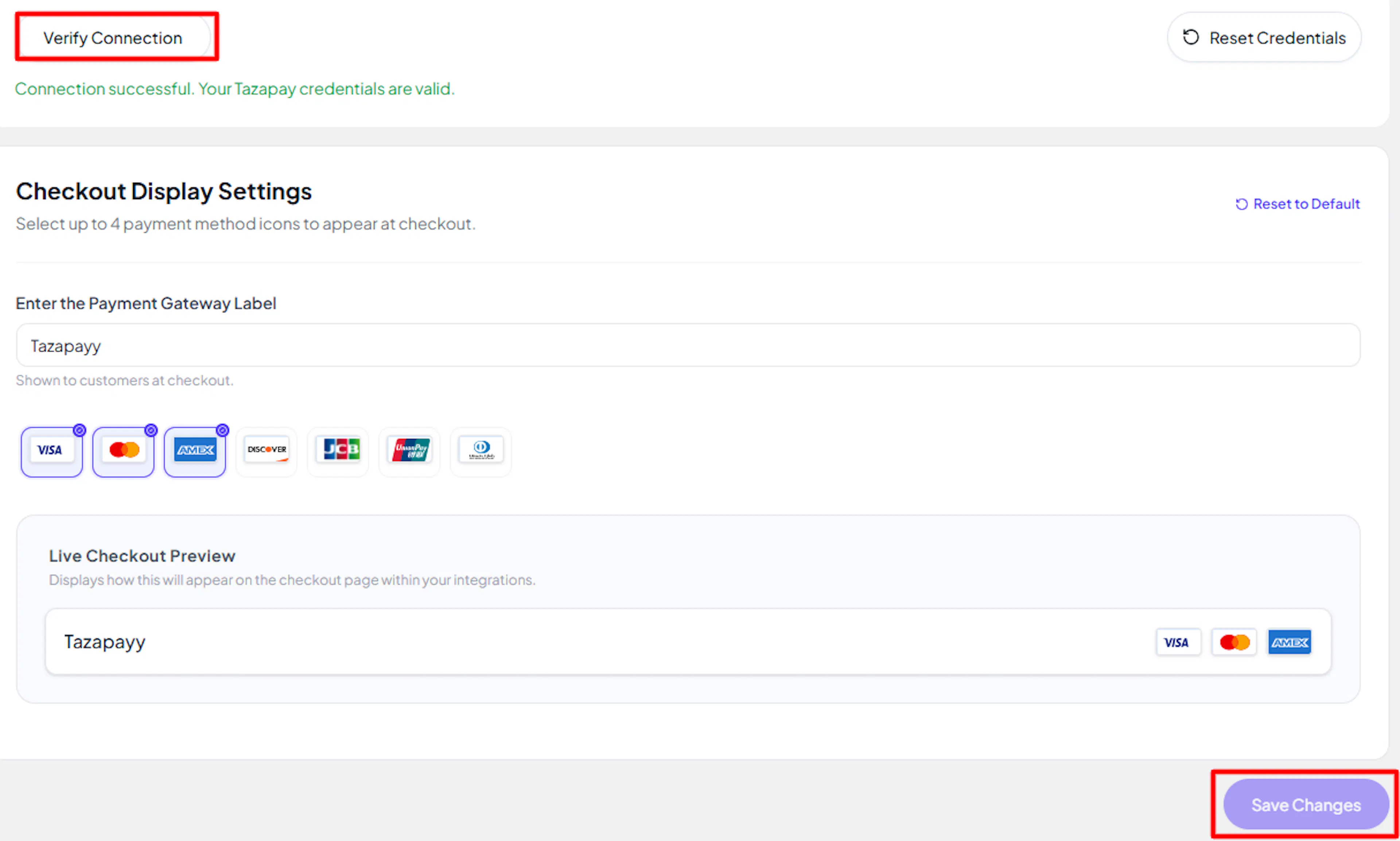
Click Save to save your configuration and verify your credentials. Click Verify Connection to test the connection.
Integrate Tazapay to Your Website
If you have already added and configured your site, you can enable Tazapay in your existing setup.
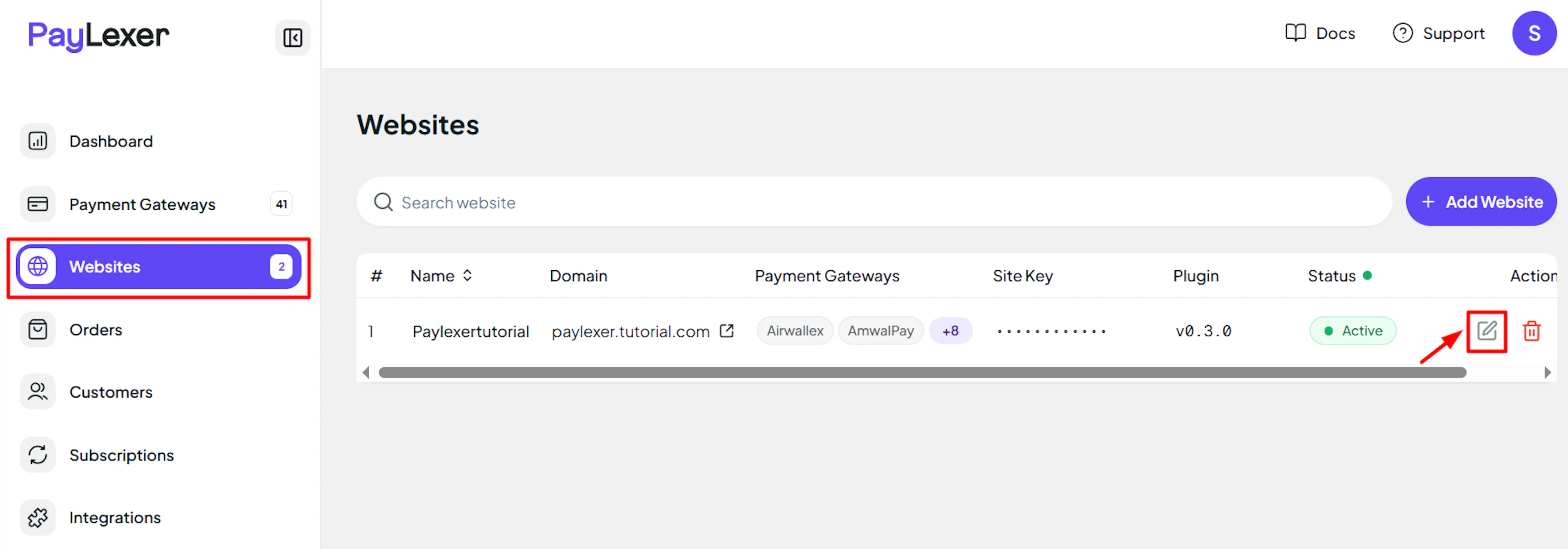
Go to Websites
Navigate to Websites in your PayLexer dashboard.
Edit your website
Click the Edit Icon of your added website.
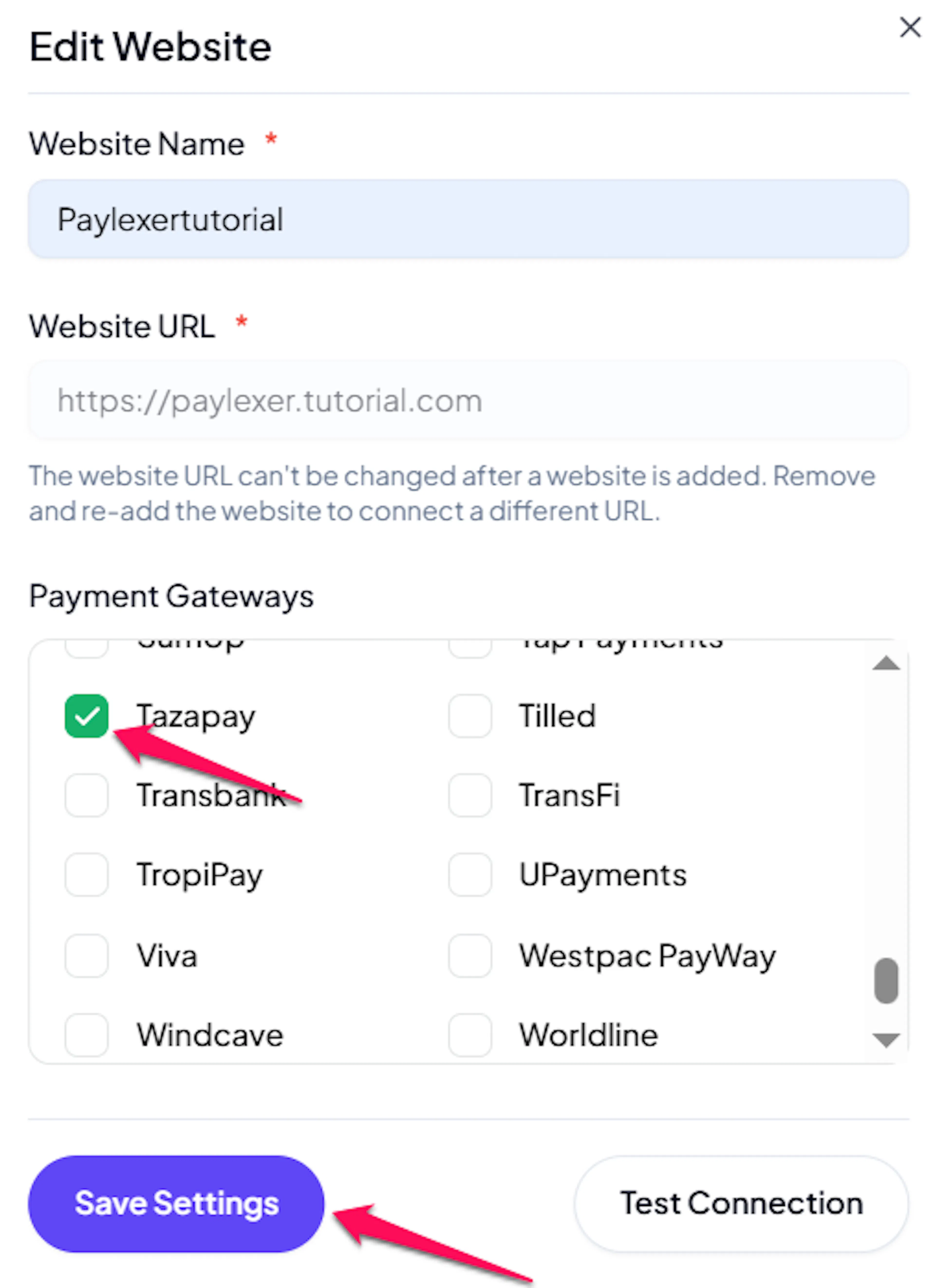
Enable Tazapay
Click the checkbox to enable Tazapay for the website.
If you haven't added a website yet, Continue to Add Your Website →
Troubleshooting
Best Practices
- Test in sandbox before enabling production, and complete at least one full payment and one refund end to end.
- Keep a working balance with Tazapay so refunds are never rejected for insufficient funds.
- Start your KYB application early. Live keys are not issued until it is approved, which usually takes a few business days.
- Store your API Secret and Webhook Secret Token securely, and never commit them to a repository or share them over email.
- Configure webhooks in both the sandbox and live dashboards, so behaviour matches when you switch environments.
- Rotate your API credentials if you suspect they have been exposed, and update them in PayLexer at the same time.
FAQs
Still Have Questions?
- Tazapay Support: Tazapay Help Center
- PayLexer Support: Contact Support