

Raiffeisen (RaiAccept)
Connect Raiffeisen's RaiAccept gateway to PayLexer to accept Visa, Mastercard, DinaCard, Apple Pay, and Google Pay across Central and Eastern Europe.
RaiAccept is the online card-payment gateway of the Raiffeisen Bank International (RBI) group, headquartered in Vienna, Austria, and offered to merchants by Raiffeisen banks across Central and Eastern Europe. To use it, your business needs an account with one of the connected Raiffeisen banks. Shoppers pay on RaiAccept's hosted, 3-D Secure payment page, so card details never touch your website or PayLexer.
- Supported Regions (Merchant Accounts): Austria, Italy, Germany, Poland, Czech Republic - view full list
- Supported Currencies: ALL, AUD, BGN, CAD, CHF, CZK, DKK, EUR, GBP, and USD - view full list
Each RaiAccept account accepts only the currencies its Raiffeisen bank enables. For example, Raiffeisen Bank Serbia accounts accept RSD, and Raiffeisen Bank Kosovo and Croatia accounts accept EUR.
Supported Features
- Payments on RaiAccept's hosted payment page, with the shopper returned to your store afterwards
- Visa and Mastercard, plus DinaCard for Raiffeisen Bank Serbia merchants
- Apple Pay and Google Pay when they are enabled in your RaiAccept Merchant portal
- 3-D Secure authentication on RaiAccept's payment page whenever the shopper's bank asks for it
- Full and partial refunds, including several partial refunds on one order
- Refunds made in the RaiAccept Merchant portal are recorded in PayLexer and your store automatically
- Automatic payment notifications, with no webhook setup required
- Declined payments recorded on the order, so a shopper can retry the same order
- A Transaction ID on each order that opens the payment in your RaiAccept Merchant portal
- Separate sandbox and production environments for safe testing
Raiffeisen does not support subscriptions in PayLexer. RaiAccept can save a card for faster checkout, but the shopper must still confirm every payment, and it does not bill on a schedule, so recurring plans are not offered on this gateway.
Before You Start
Make sure you have:
- RaiAccept Account – Don't have one? Sign up for RaiAccept → Sandbox access is available straight after sign-up. Production is activated by your Raiffeisen bank, so you also need a business account with a connected Raiffeisen bank.
- PayLexer Account – Required to configure the integration. Create your account →
- A website where you want to integrate
Looking for a different payment processor? View all supported gateways →
Configuring Raiffeisen
You need an API Username and API Password from RaiAccept for this integration.
Getting API Credentials
RaiAccept issues separate API credentials for the sandbox and for production. Both are created in the RaiAccept Merchant portal.
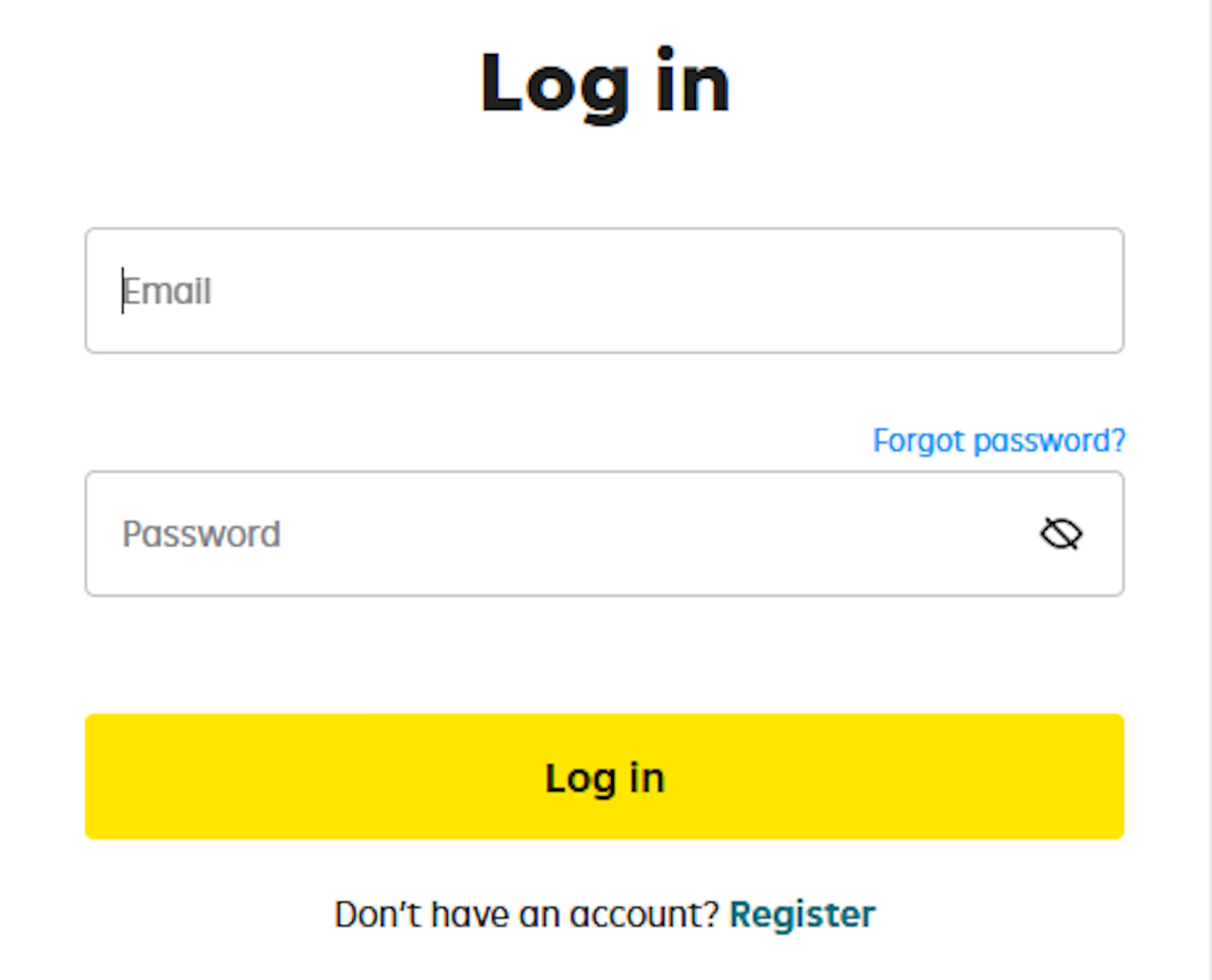
Log in to the RaiAccept Merchant portal
Sign in to the RaiAccept Merchant portal.
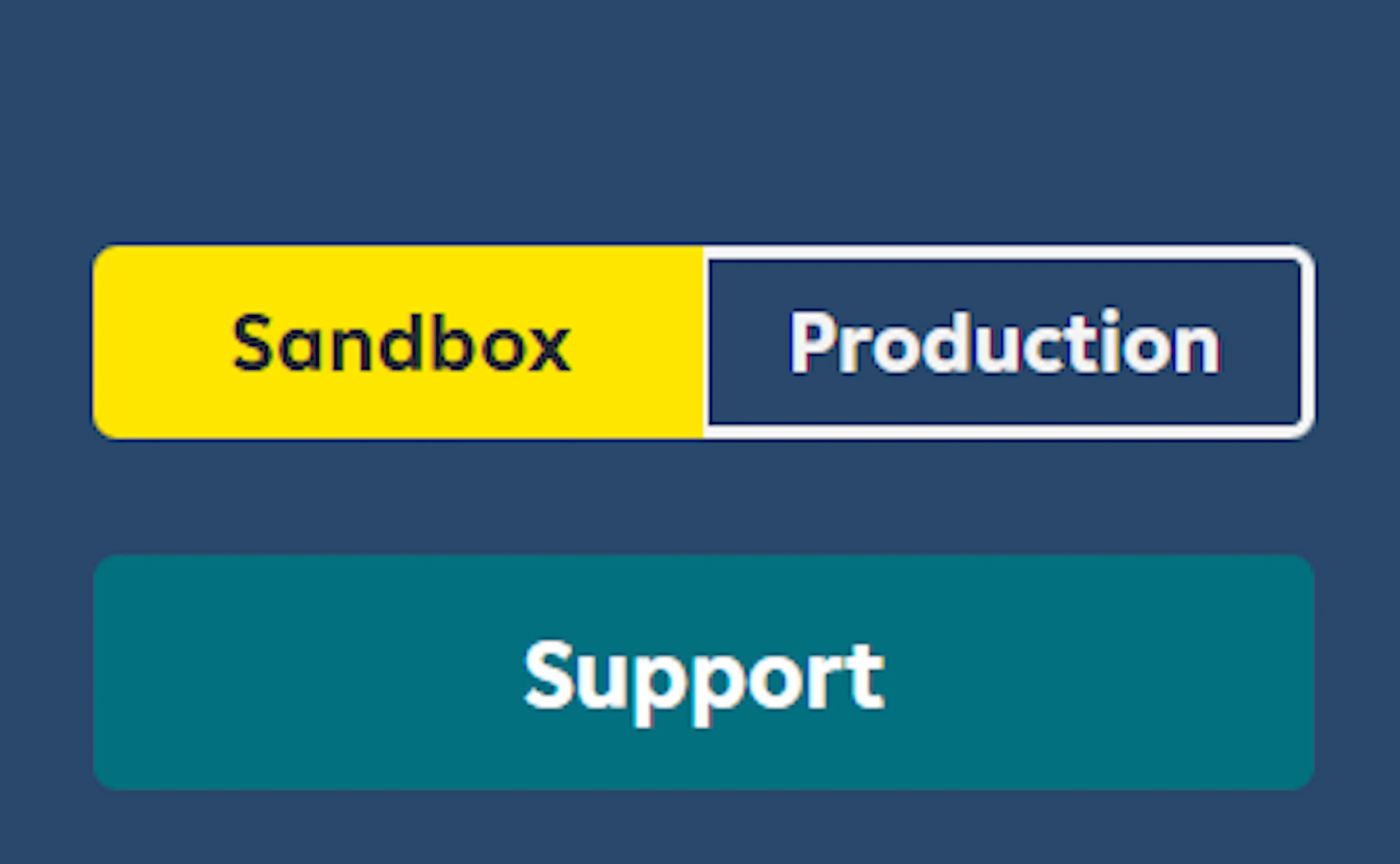
Choose the environment
Use the Sandbox / Production switch in the bottom-left corner to select your environment. A red top bar indicates Sandbox mode. Production becomes available once your Raiffeisen bank activates your account.
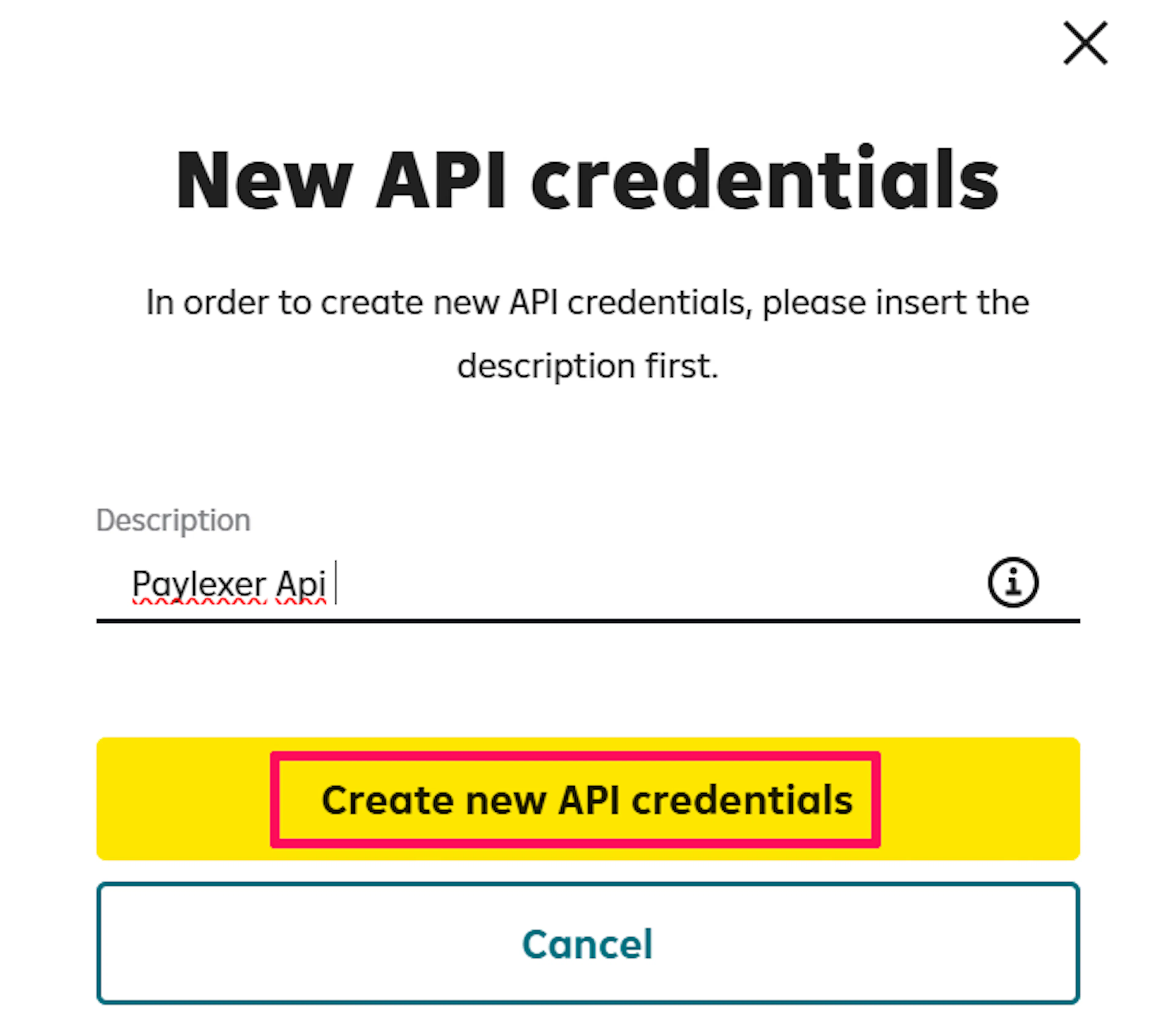
Create new API credentials
Click API Credentials, then New API Credentials. Enter a Description (for example, "PayLexer") and click Create New API Credentials.

Copy your username and password
Copy the Username and Password shown, tick I have copied and saved securely username and password, and click Close.
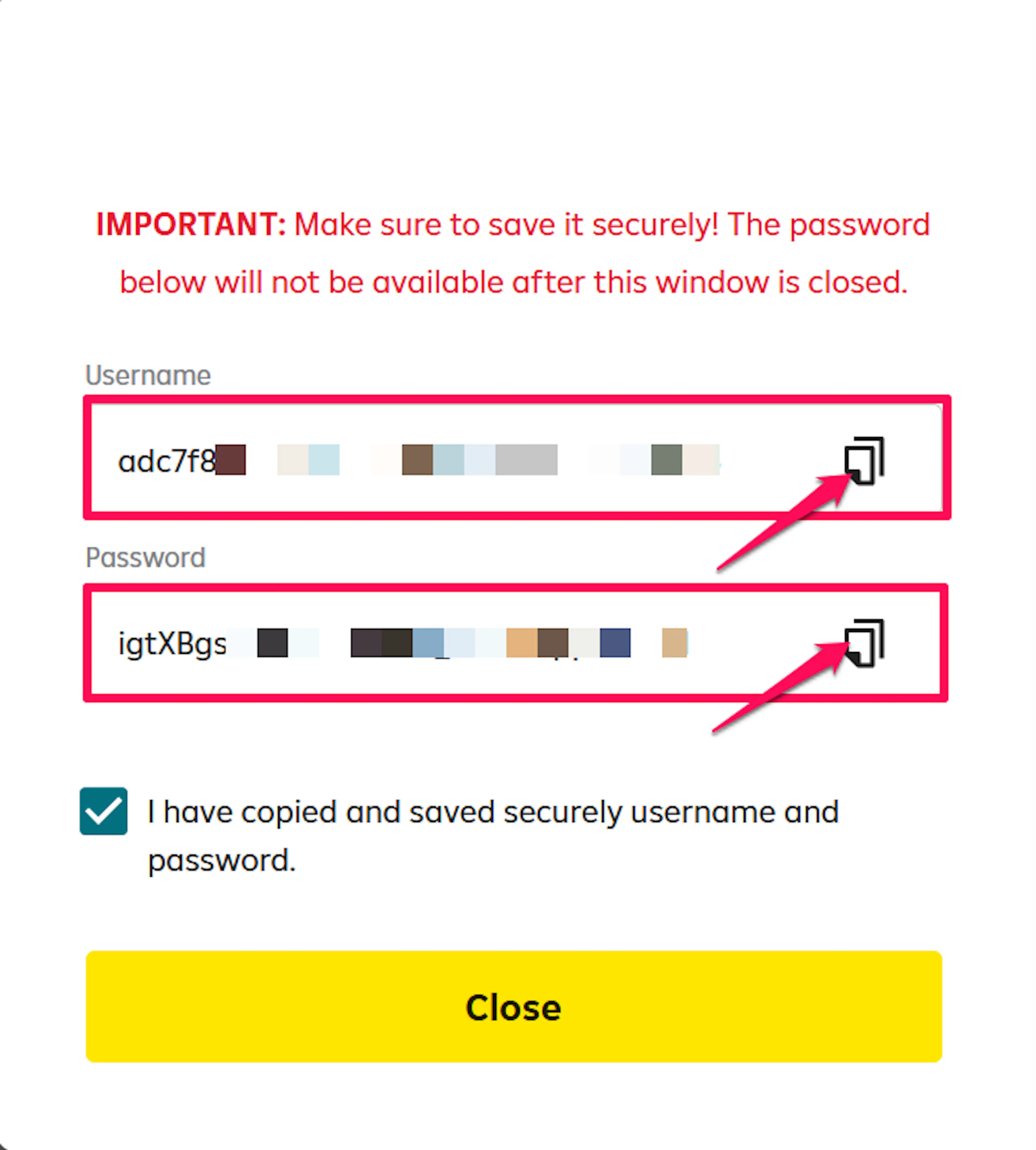
RaiAccept shows the password only once. If you lose it, create a new set of API credentials in the same environment.
Repeat for the other environment
Switch environments and repeat these steps, so you have one set of credentials for the sandbox and one for production.
Your API Password authorizes payments and refunds on your RaiAccept account. Treat it like a password and never share it or place it in client-side code.
Adding Credentials to PayLexer
Open PayLexer Dashboard
Log in to your PayLexer dashboard and navigate to Payment Gateways → Raiffeisen.
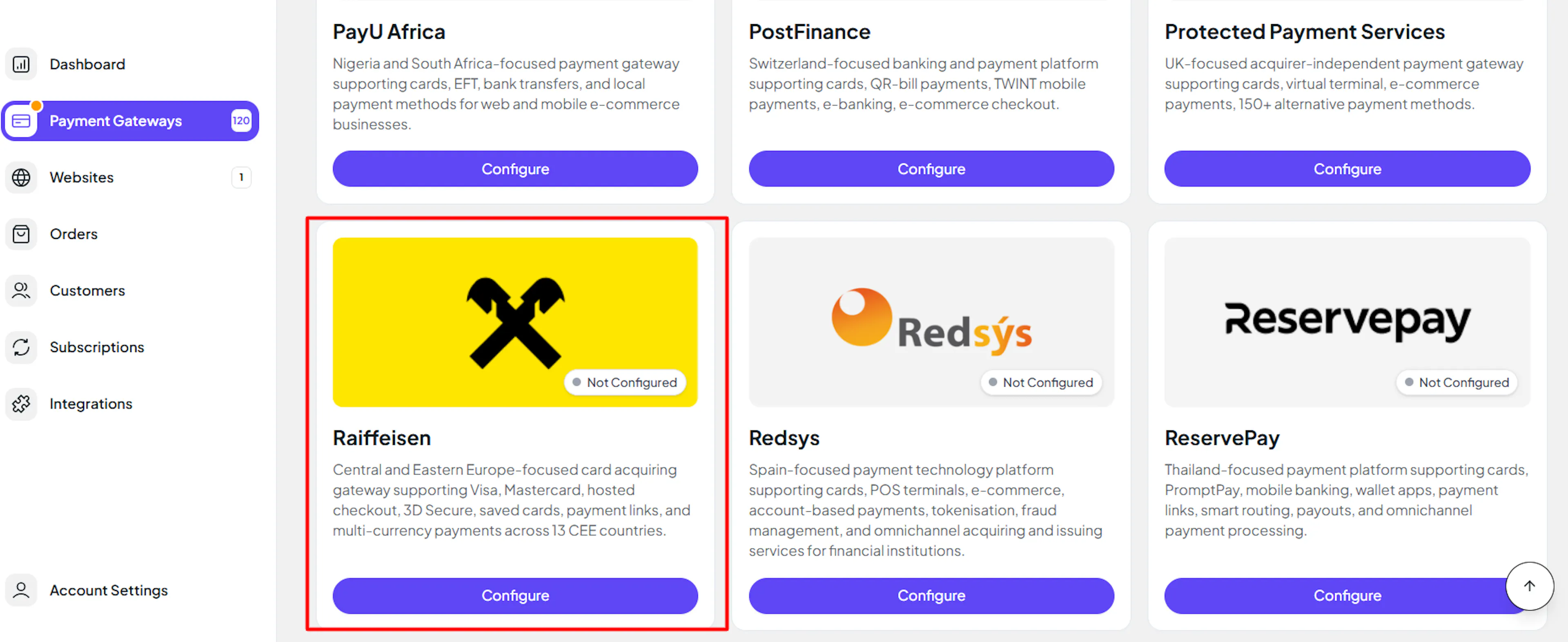
Enter your credentials
Paste the API Username and API Password you copied from RaiAccept into the corresponding fields. Use your Sandbox credentials in the test fields and your Production credentials in the live fields.
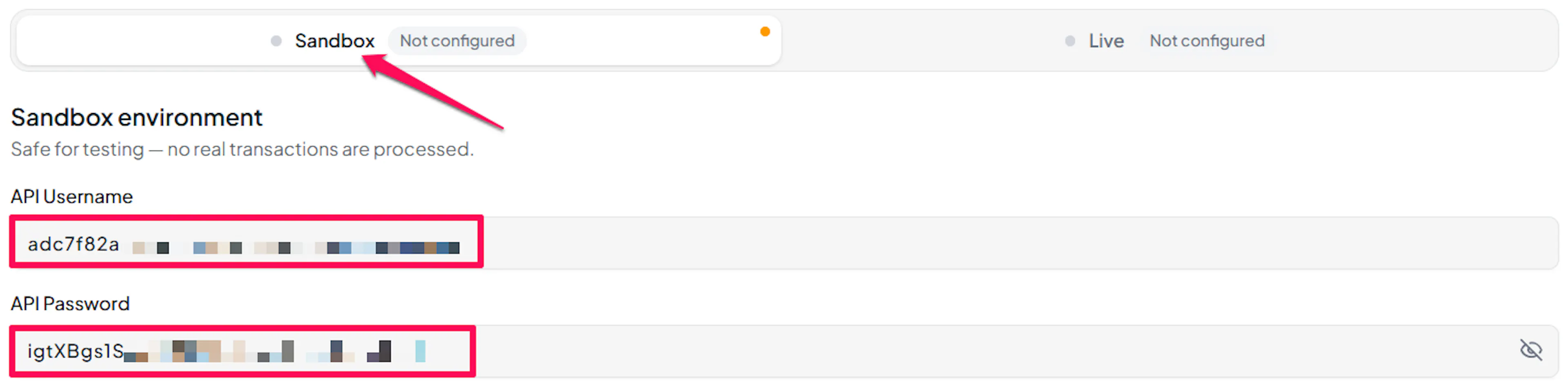
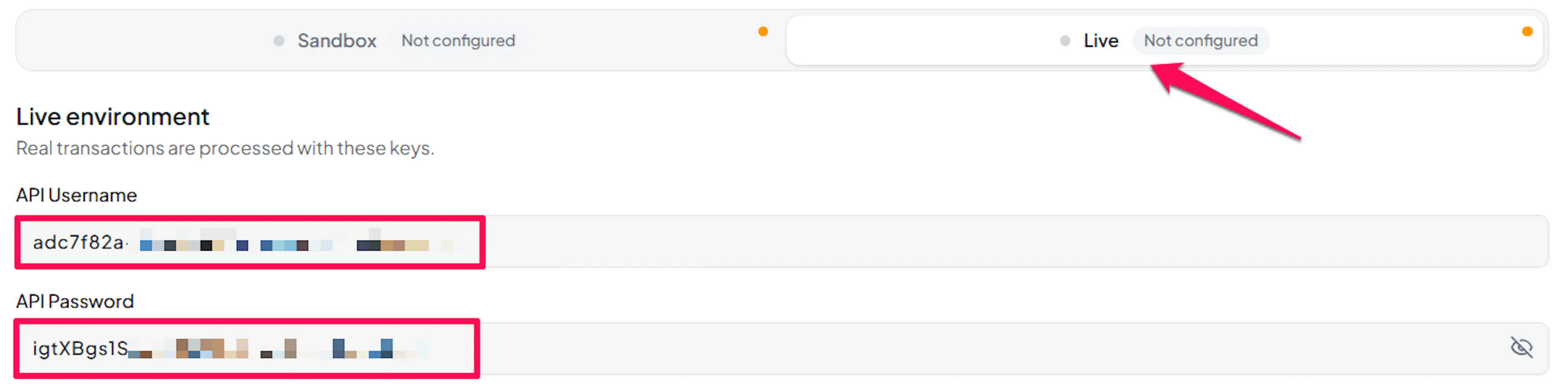
Understanding Live/Production and Sandbox Settings:
| Environment | Purpose |
|---|---|
| Live / Production | Used for real transactions. |
| Test / Sandbox | Used for testing only. No real money is processed. |
How PayLexer selects credentials:
- Debug/Test mode ON → Test credentials are used
- Debug/Test mode OFF → Live credentials are used
Test and save
Click Save to save your configuration and verify your credentials. Click Verify Connection to test the connection.

Verify Connection only signs in to RaiAccept with your API Username and API Password. Nothing is created and nothing is charged.
Webhooks (Automatic - No Setup Required)
PayLexer sends RaiAccept its own notification address with every payment it creates, so there is nothing to copy, paste, or configure in the RaiAccept Merchant portal, for either sandbox or production.
Benefits of Webhooks:
- Instant payment status updates
- Automatic refund processing, including refunds made in the RaiAccept Merchant portal
- Accurate order status even if the shopper closes the browser before returning
How PayLexer handles the notification:
- RaiAccept does not sign its notifications, so PayLexer never trusts one on its own. It looks the payment or refund up directly with RaiAccept using your credentials and only updates the order when RaiAccept's own records agree
- A notification that cannot be confirmed with RaiAccept is ignored and your order is left untouched
- If a payment notification never arrives or cannot be confirmed, PayLexer asks RaiAccept about the order again after about 15 minutes, so a paid order still completes
Integrate Raiffeisen to Your Website
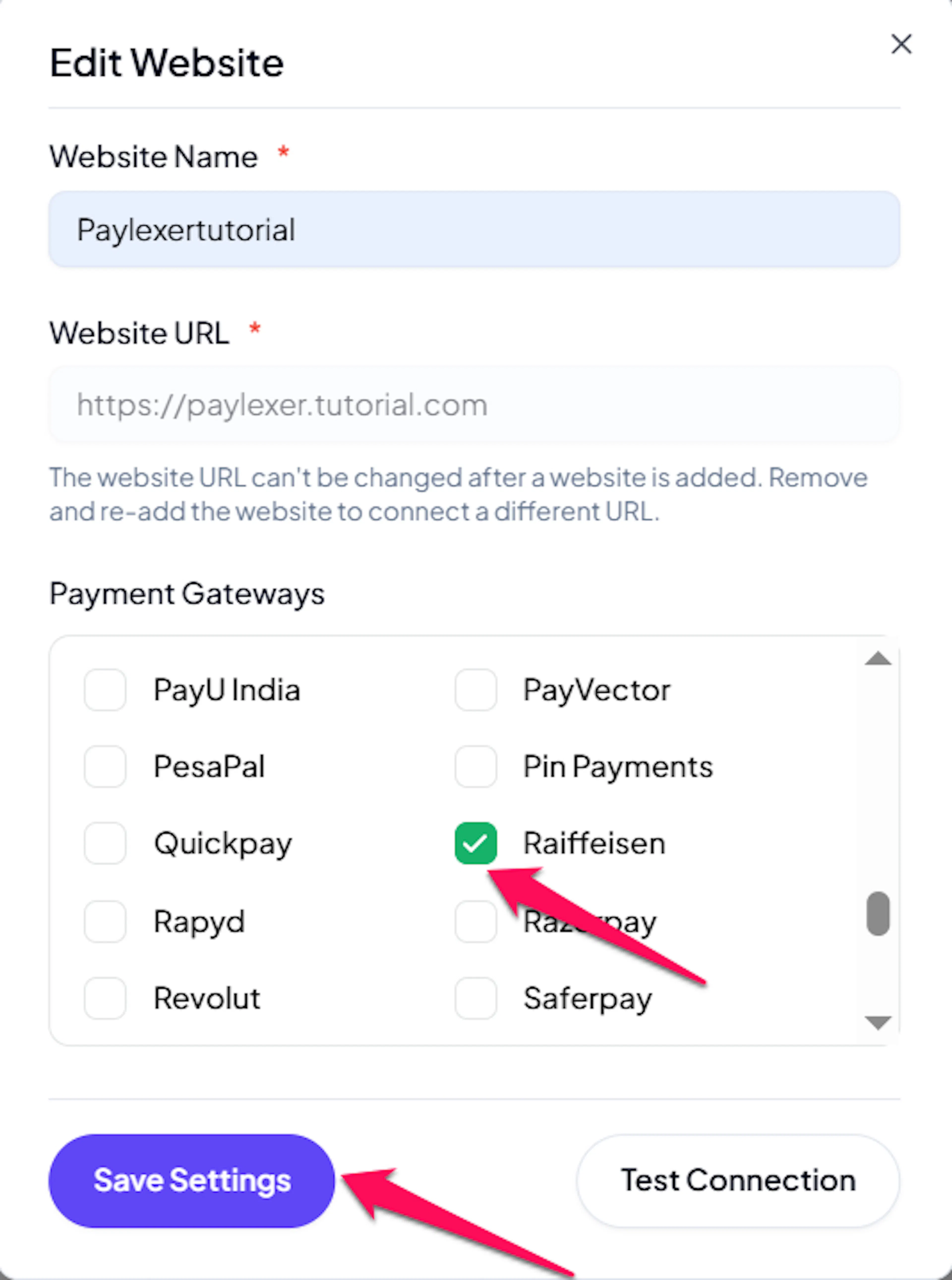
If you have already added and configured your site, you can enable Raiffeisen in your existing setup.
Go to Websites
Navigate to Websites in your PayLexer dashboard.
Edit your website
Click the Edit Icon of your added website.
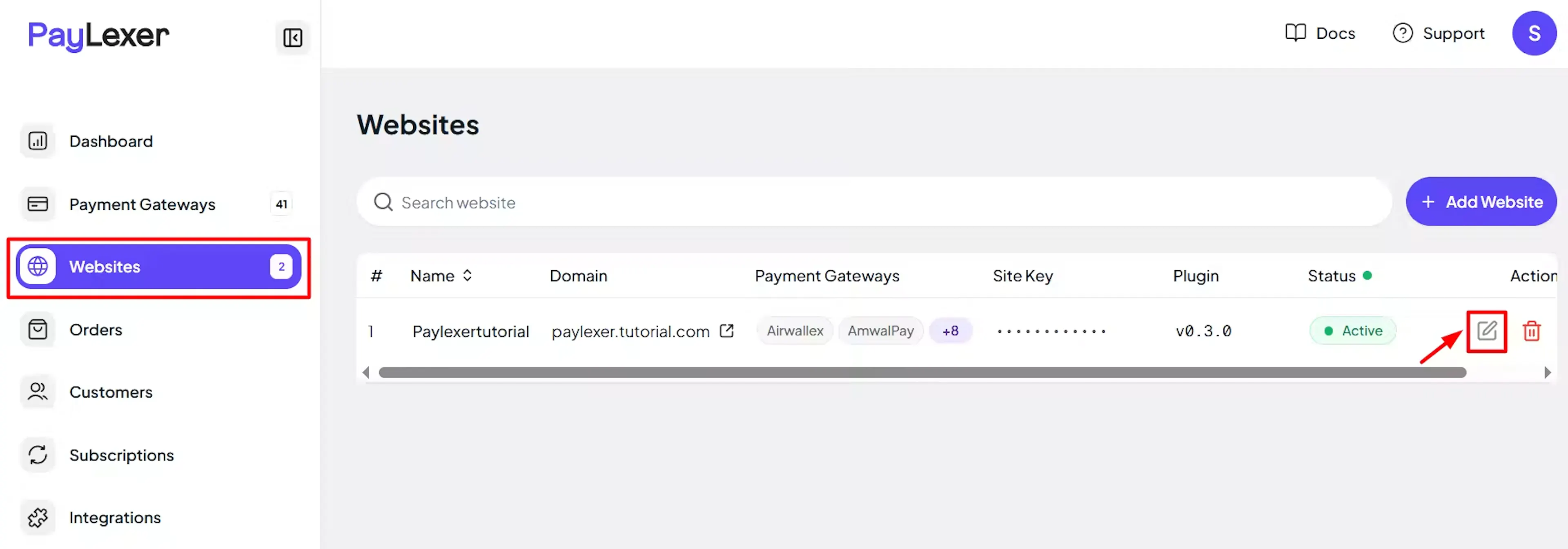
Enable Raiffeisen
Click the checkbox to enable Raiffeisen for the website.
If you haven't added a website yet, Continue to Add Your Website →
Troubleshooting
Best Practices
- Test in the sandbox (Debug/Test mode ON) before enabling production
- Keep Sandbox and Production credentials in their matching fields in PayLexer
- Store your API Password safely when you create it, because RaiAccept shows it only once
- Issue refunds from PayLexer or your store where you can, so every system shows the same refund history
- Use the RaiAccept test cards to try both a successful and a declined payment before going live
FAQs
Still Have Questions?
- RaiAccept Support: RaiAccept FAQ, or contact your Raiffeisen bank representative
- PayLexer Support: Contact Support