

SSLCommerz
Connect SSLCommerz to PayLexer to accept cards, mobile banking wallets, internet banking, and EMI payments in Bangladeshi Taka through a hosted checkout page.
SSLCommerz is Bangladesh's largest payment aggregator, headquartered in Dhaka, giving shoppers a single place to pay with local cards, mobile banking wallets (bKash, Nagad, Rocket and others), internet banking, and EMI instalments. PayLexer connects to SSLCommerz's Hosted Payment Integration, so a shopper is redirected to SSLCommerz's own payment page, chooses whichever method they prefer, and returns to your site with the order already updated.
- Supported Regions (Merchant Accounts): Bangladesh
- Supported Currencies: BDT
This gateway appears in checkout only when the selected currency is BDT.
Supported Features
- Hosted checkout page - the user is redirected to SSLCommerz to pay, then returned to your site, so no card details are ever typed on your own pages
- Local Bangladeshi payment methods including cards, mobile banking wallets and internet banking
- Independent payment confirmation - every reported success is re-checked directly with SSLCommerz before an order is marked paid, and an unconfirmed success is discarded rather than applied
- Full and partial refunds issued from PayLexer, recorded immediately since SSLCommerz sends no refund notification
- Automatic transaction limit checks - amounts outside SSLCommerz's 10.00 to 500,000.00 BDT range are rejected before the shopper is sent to the payment page
- Payment status lookup at any time using your own order reference
- Credential validation on save, so you find out immediately whether SSLCommerz accepts your Store ID and Store Password
Recurring subscriptions are not supported for SSLCommerz. This integration handles one-time payments only, with no sign-up fee or free trial options. There is also no way to cancel a payment attempt once the shopper has been sent to SSLCommerz's page - they must complete, abandon, or let it expire.
Before You Start
Make sure you have:
- SSLCommerz Account – Don't have one? Sign up for SSLCommerz →
- PayLexer Account – Required to configure the integration. Create your account →
- A website where you want to integrate
Looking for a different payment processor? View all supported gateways →
Configuring SSLCommerz
You need a Store ID and Store Password from SSLCommerz for this integration.
Getting API Credentials
Register for a sandbox store
Go to the SSLCommerz sandbox registration page and complete the signup form. It asks only for your domain, company name and address, contact name, email, phone, and a username and password - no documents are required.
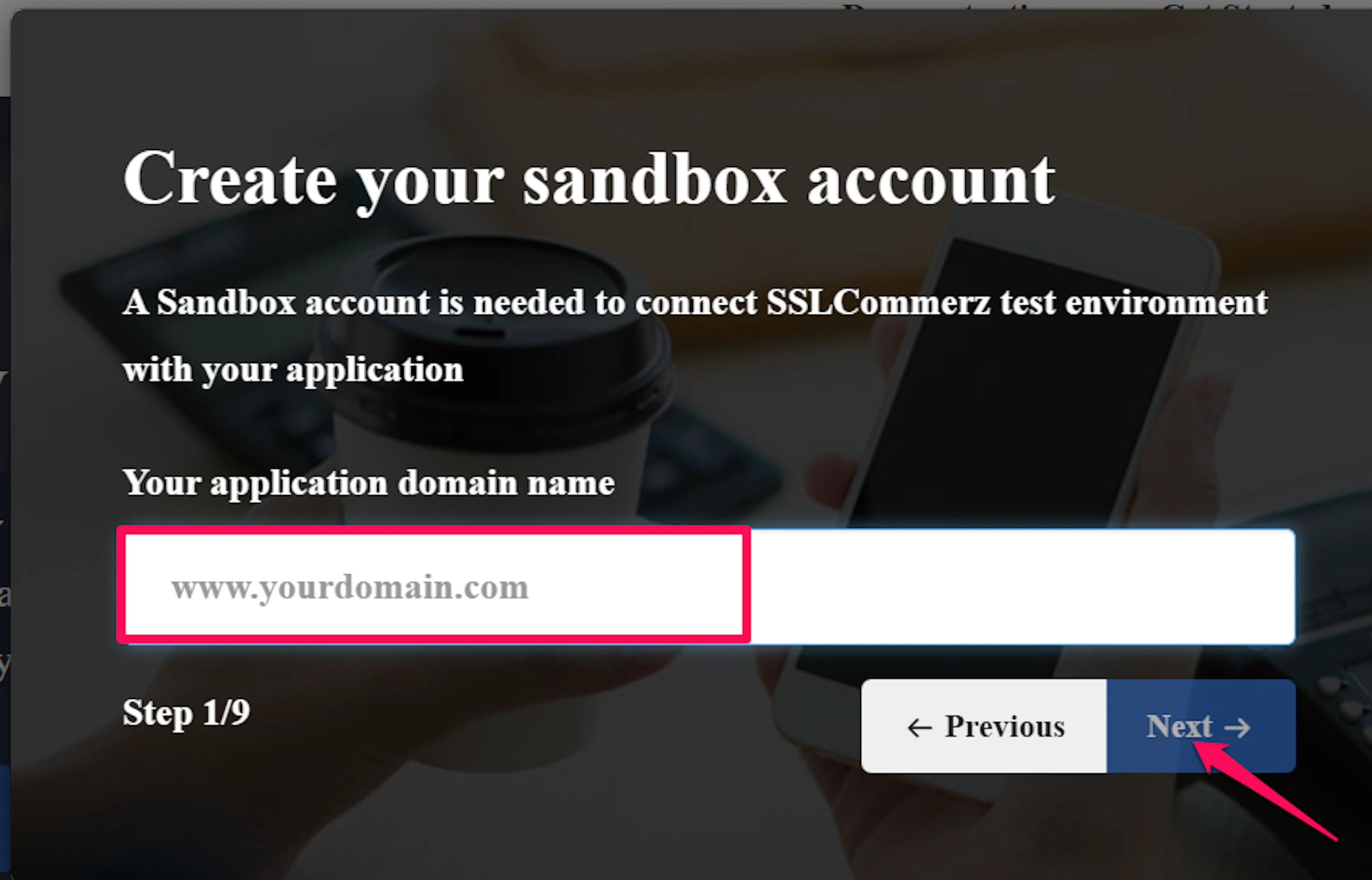
Check your email for your Store ID and Store Password
SSLCommerz sends your Store ID and Store Password by email to the address you used to register, shortly after signup. These are your Test (sandbox) credentials - simply copy them from that email.
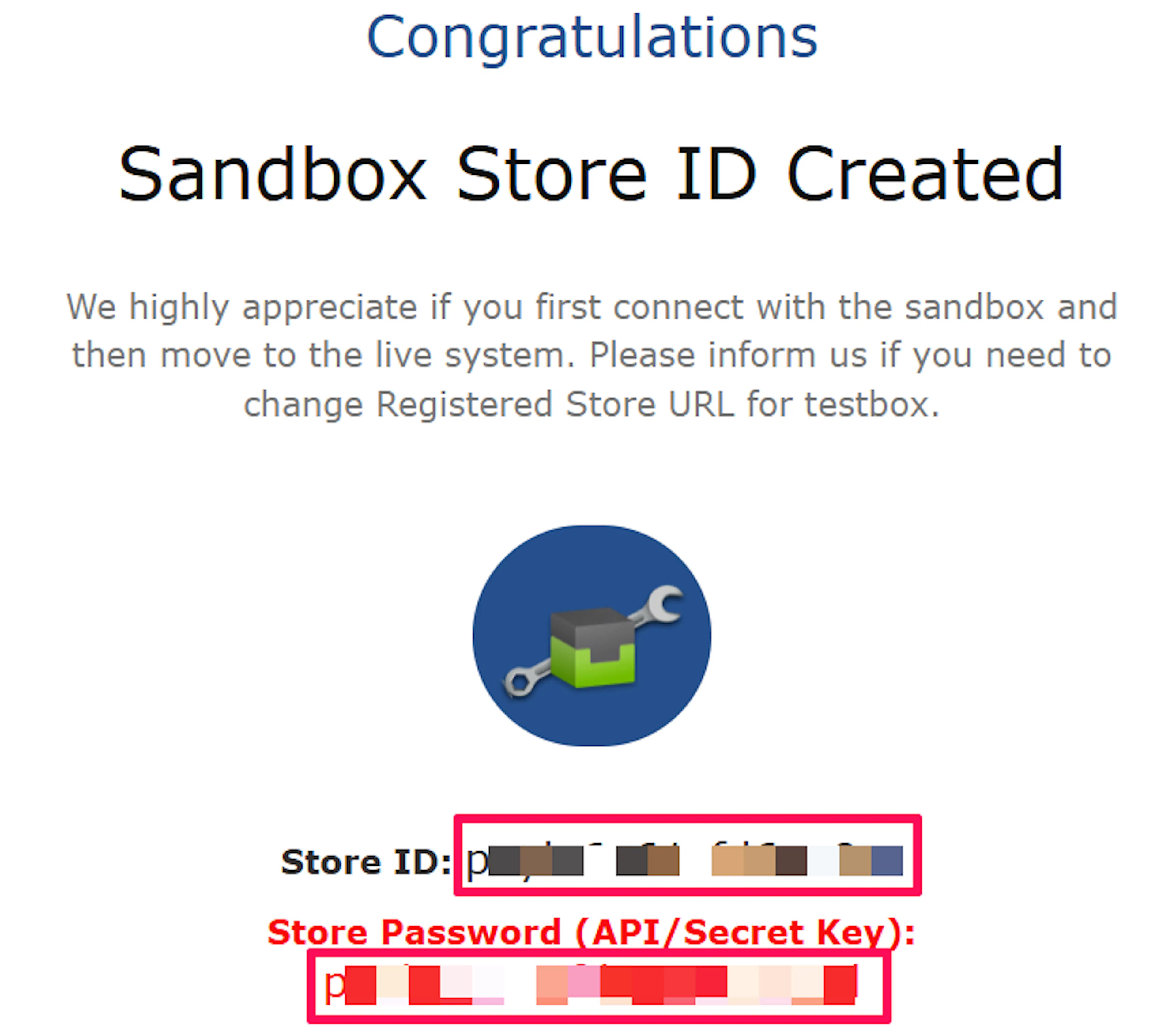
Treat the Store Password like a password, because it is one. Anyone holding it together with your Store ID can create payment sessions against your store.
Apply for a live merchant account
When you are ready to accept real payments, apply for a live account through SSLCommerz merchant onboarding. SSLCommerz reviews your business details and issues a separate live Store ID and Store Password once approved.
Sandbox and live credentials are completely separate. A sandbox Store ID never works against the live environment, and the reverse is also true.
Adding Credentials to PayLexer
Open PayLexer Dashboard
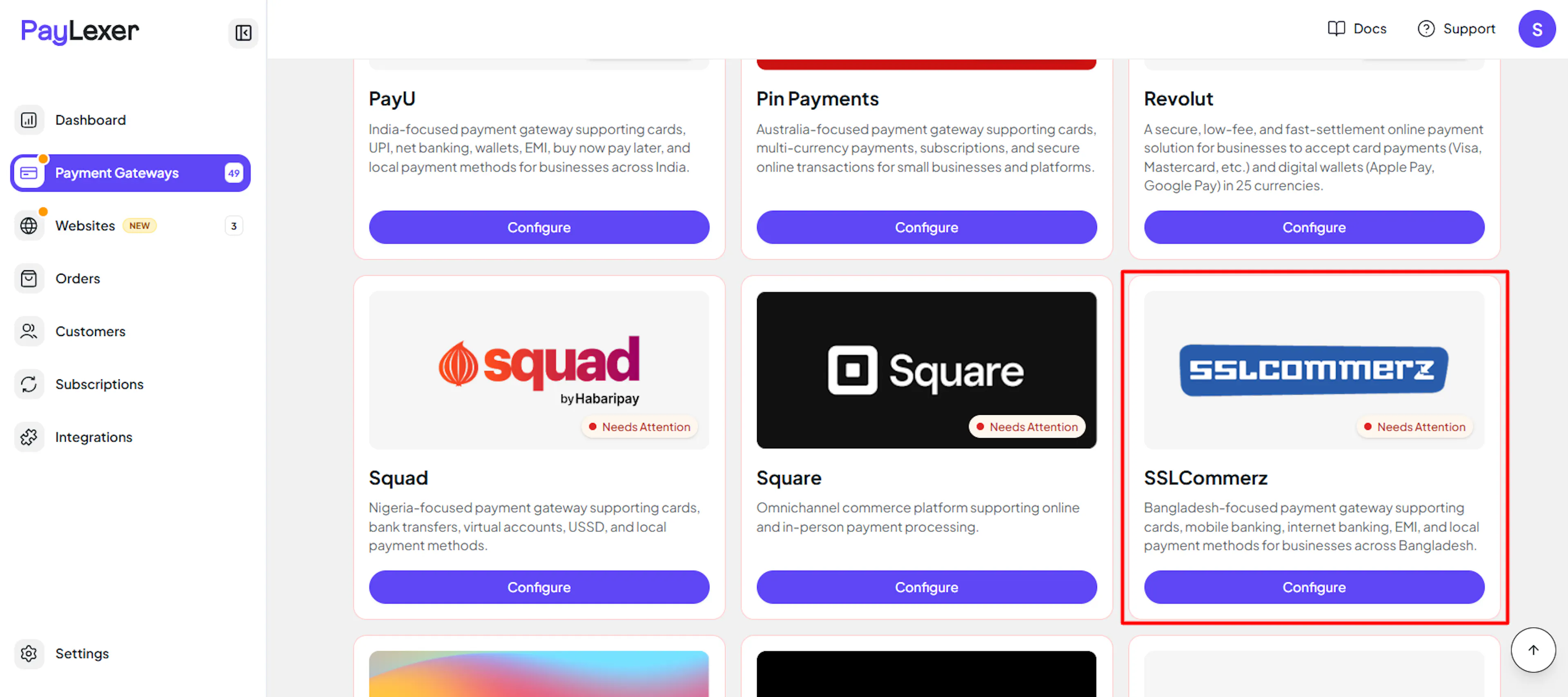
Log in to your PayLexer dashboard and navigate to Payment Gateways -> SSLCommerz.
Enter your credentials
Paste the Store ID and Store Password you received from SSLCommerz by email.
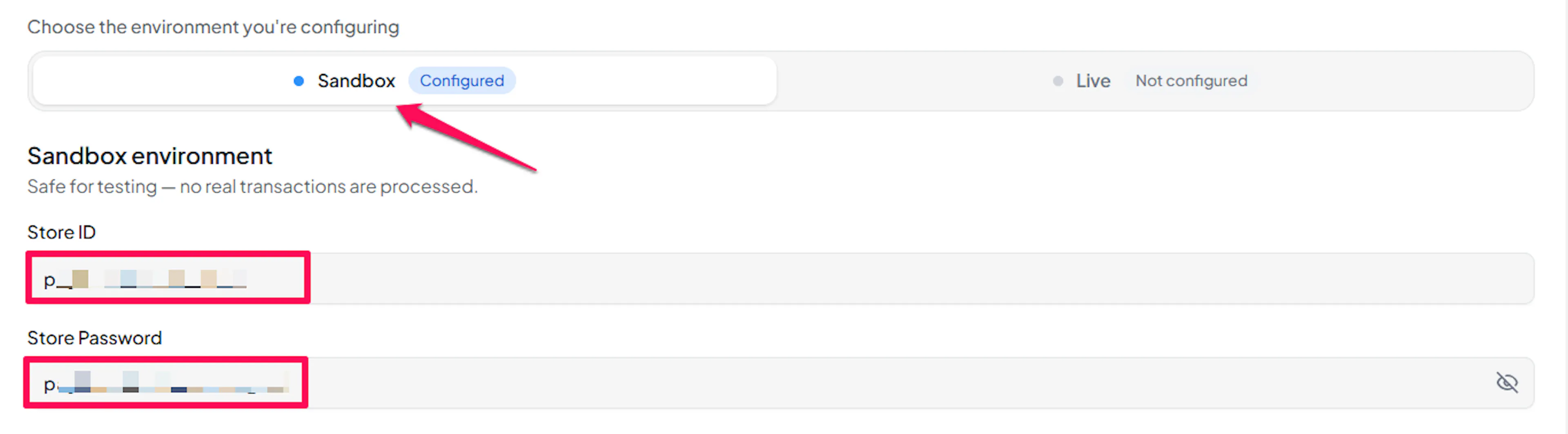
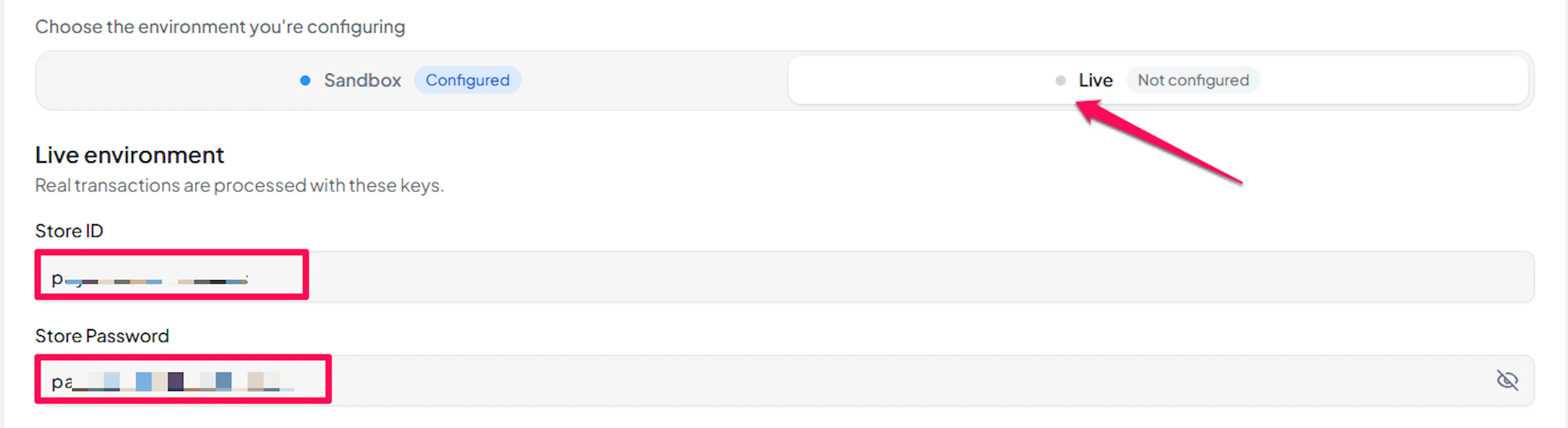
Understanding Live/Production and Sandbox Settings:
| Environment | Purpose |
|---|---|
| Live / Production (Mandatory) | Used for real transactions. Cannot be empty, even when testing. |
| Test / Sandbox (Optional) | Used for testing only. No real money is processed. |
How PayLexer selects credentials:
- Debug/Test mode ON → Test credentials are used
- Debug/Test mode OFF → Live credentials are used
Test and save
Click Save to save your configuration and verify your credentials. Click Verify Connection to test the connection.
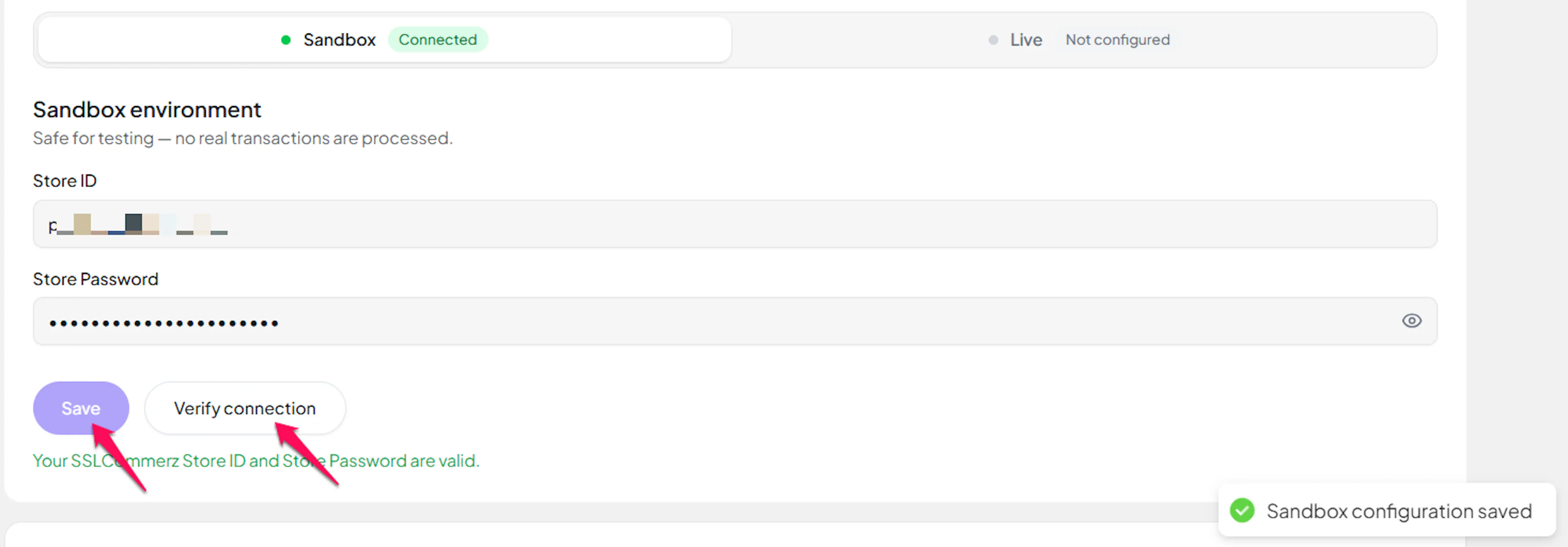
SSLCommerz has no dedicated credential-check endpoint, so Test Connection verifies your Store ID and Store Password by opening a small throwaway payment session. Nothing is charged, and the abandoned session behaves exactly like a shopper who left checkout.
Webhooks (Automatic)
SSLCommerz calls its webhook mechanism an IPN, short for Instant Payment Notification. PayLexer registers this automatically with SSLCommerz every time it creates a payment session, so there is nothing to copy, paste, or configure in the SSLCommerz merchant panel, for either your sandbox store or your live store.
Benefits of Webhooks:
- Instant payment status updates
- Automatic order reconciliation
- Accurate failure and cancellation records
How PayLexer handles the notification:
- SSLCommerz's notification includes a verification key pair whose formula it does not publish, so PayLexer never relies on that notification alone
- Before any order is marked paid, PayLexer calls SSLCommerz's Order Validation service directly and confirms the payment really succeeded, for that order reference, for that amount
- A reported success that PayLexer cannot independently confirm - or whose order reference or amount disagrees with SSLCommerz's own record - is discarded instead of marking the order paid
- Failed, cancelled, expired, and never-attempted payments are recorded as exactly that, and never mark the order paid
- If a notification is ever delayed or lost, PayLexer automatically re-checks any payment still showing as pending, so an order does not get stuck
SSLCommerz sends no notification for refunds. PayLexer therefore treats the answer it receives at the moment you issue a refund as final and records the outcome immediately.
Integrate SSLCommerz to Your Website
If you have already added and configured your site, you can enable SSLCommerz in your existing setup.
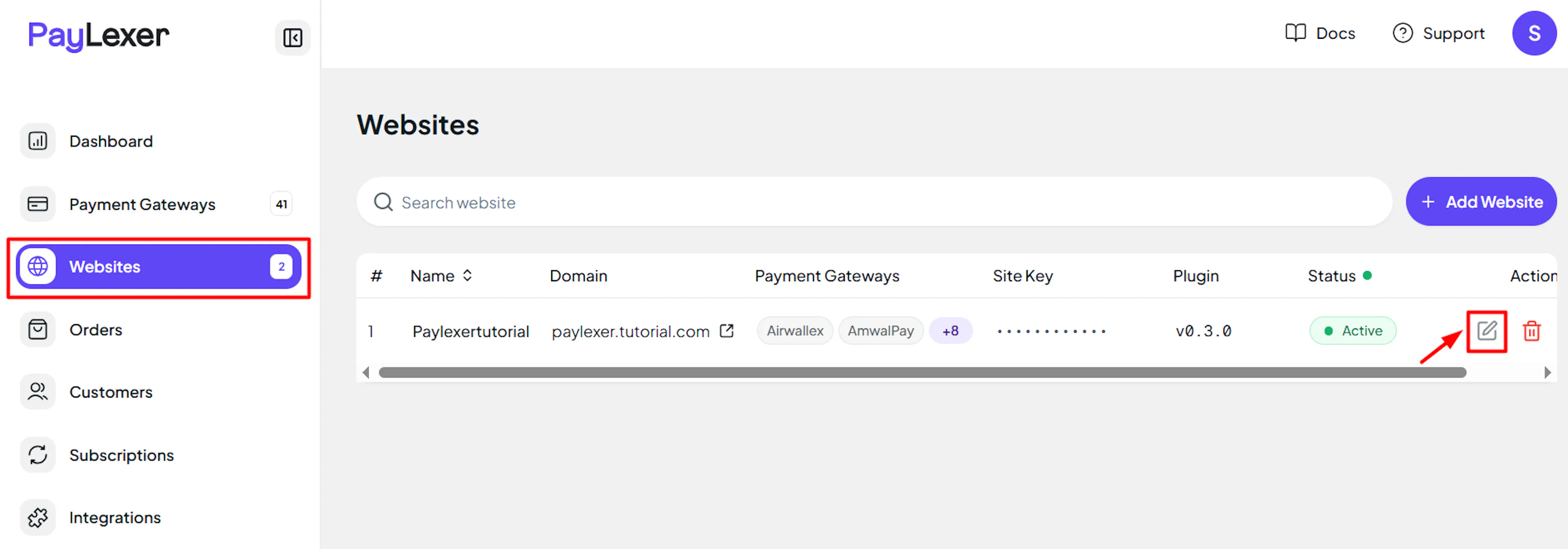
Go to Websites
Navigate to Websites in your PayLexer dashboard.
Edit your website
Click the Edit Icon of your added website.
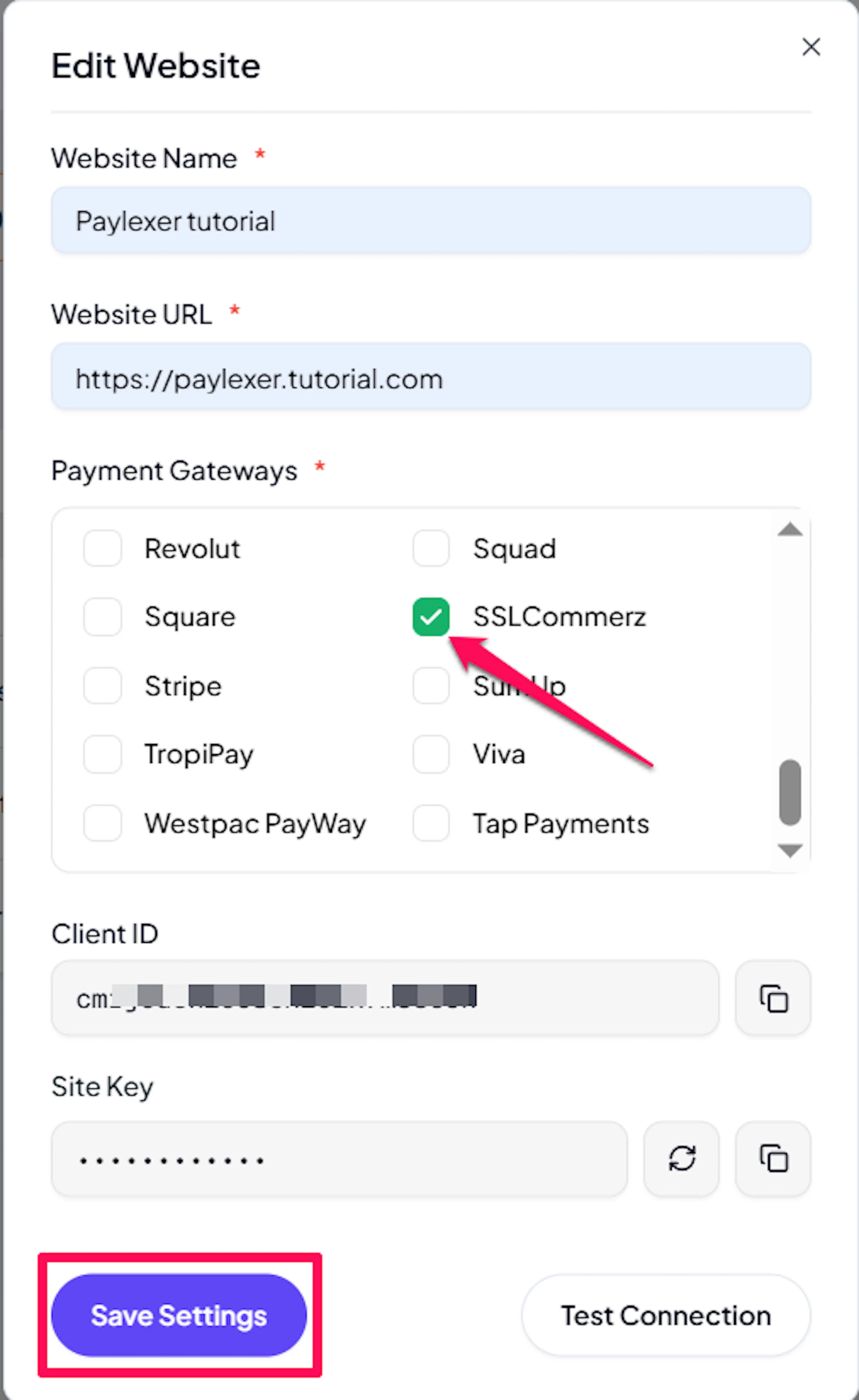
Enable SSLCommerz
Click the checkbox to enable SSLCommerz for the website.
If you haven't added a website yet, Continue to Add Your Website →
Troubleshooting
Best Practices
- Test in sandbox before enabling production. Complete a full payment with sandbox credentials, and confirm the order updates in PayLexer, before switching to live.
- Keep your Store Password confidential, and change it in the SSLCommerz merchant panel if you suspect it has been exposed.
- Only charge in Bangladeshi Taka. A checkout in any other currency is rejected before SSLCommerz is ever contacted.
- Keep order totals within SSLCommerz's 10.00 to 500,000.00 BDT range, and split larger purchases if your catalogue can exceed the upper limit.
- Remember that a payment attempt cannot be cancelled once the shopper reaches SSLCommerz, so tell your support team not to expect a cancel action mid-flow.
- Use a different gateway for any recurring billing, since SSLCommerz handles one-time payments only.
FAQs
Still Have Questions?
- SSLCommerz Support: SSLCommerz Support
- PayLexer Support: Contact Support