

Subscriptions
Which gateways support subscriptions in PayLexer, what features are available, and how cancellations and pausing work.
PayLexer takes care of subscription billing for you. When a subscription is created, renewed, cancelled, or paused, PayLexer automatically keeps everything in sync - your store, your payment gateway, and your PayLexer dashboard all stay up to date.
A payment gateway is the service that processes your customers' payments - for example, Stripe or PayPal. PayLexer connects to your chosen gateway to handle subscription billing.
Supported Gateways
Subscriptions are currently supported on 24 payment gateways:
- Airwallex
- Authorize.Net
- BlueSnap
- Braintree
- Conekta
- Dodo Payments
- Elavon
- FastSpring
- Flutterwave
- HitPay
- Midtrans
- Mollie
- Omise
- ONVO Pay
- Openpay
- Paddle
- PayFast
- PayHere
- PayPal
- Paystack
- Pin Payments
- Revolut
- Square
- Stripe
Not every gateway supports every subscription feature. What is available depends on which gateway you are connected to.
What PayLexer Handles
Initial Fee
You can charge a one-time initial fee when a customer first subscribes. This is collected at the start, on top of the regular recurring amount. After that, only the regular charge applies.
Free Trial
You can offer a free trial period. The customer pays nothing during the trial. When the trial ends, their first payment is collected automatically - no extra steps needed from you or your customer.
Cancellation
All 10 supported gateways allow you to cancel a subscription. You can cancel from the PayLexer dashboard or from your integration - PayLexer keeps everything in sync either way.
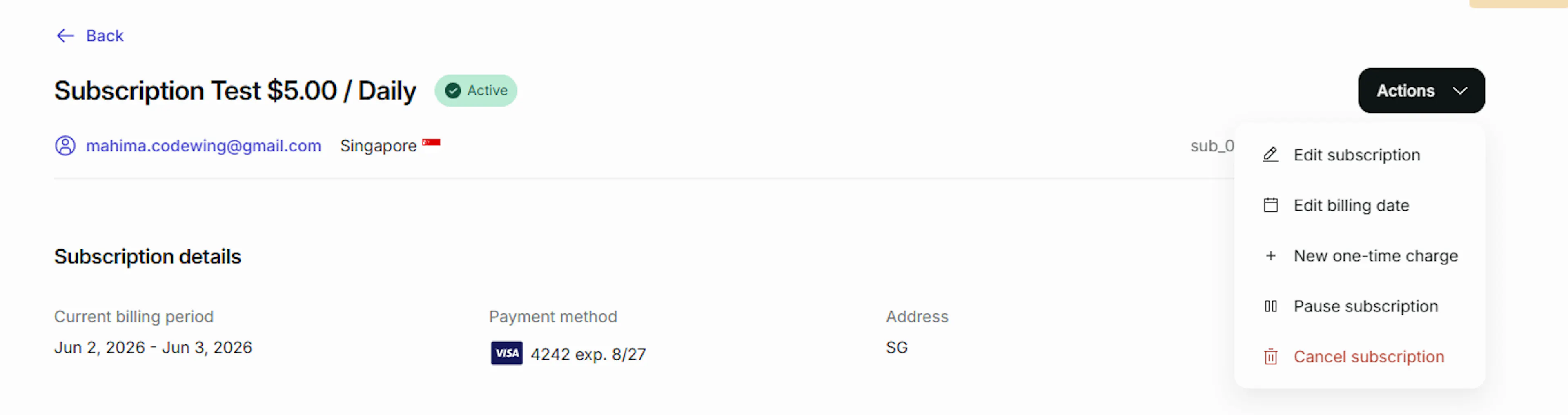
- Cancelled from PayLexer - Go to the subscription, open the Actions menu, and select Cancel subscription. PayLexer cancels it at the gateway and updates your store.
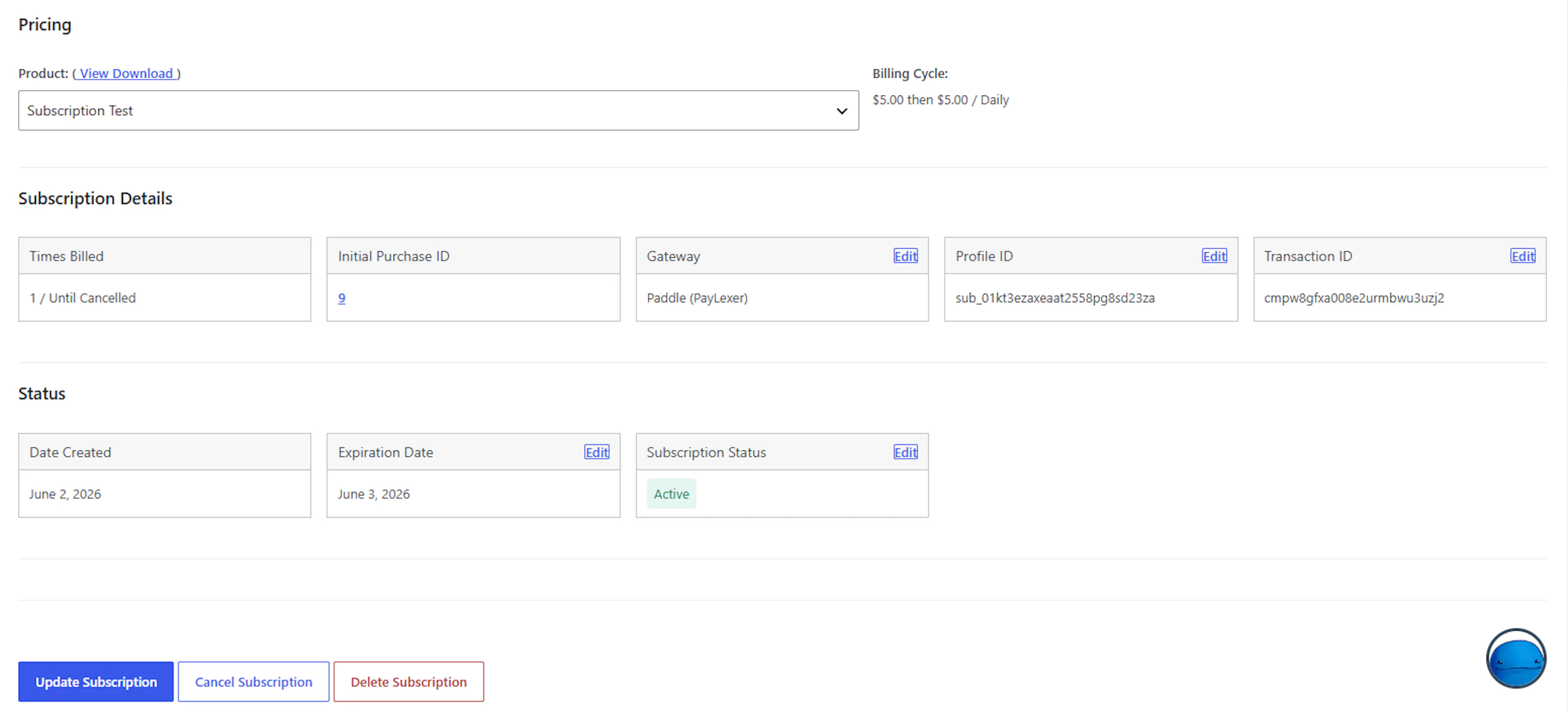
- Cancelled from your integration (for example in EDD) - Use the Cancel Subscription button on the subscription page in your store. PayLexer picks it up and cancels it at the gateway.
You do not need to cancel in more than one place. PayLexer handles the rest.
Immediate vs. end of period
With Stripe, PayPal, Square, and Paddle, you can choose to cancel at the end of the current billing period. The customer keeps access until their paid period runs out, and then the subscription ends. With all other gateways, the cancellation takes effect right away.