

eSewa
Connect eSewa to PayLexer to accept payments from Nepal's largest digital wallet through a hosted payment page, in Nepalese Rupees.
eSewa is Nepal's largest digital wallet and its most widely used way to pay online, licensed by Nepal Rastra Bank. Most Nepali shoppers already have the eSewa app on their phone, so eSewa reaches a share of the Nepali market that international card networks alone cannot. PayLexer connects to eSewa's ePay hosted checkout, so a shopper is redirected to eSewa's own payment page, signs in with the eSewa ID they already use, confirms with a one-time token, and returns to your site with the order marked paid. Your site never handles a card number, a password, or a token.
- Supported Regions (Merchant Accounts): Nepal
- Supported Currencies: NPR
This gateway appears in checkout only when the selected currency is NPR.
Recurring subscriptions are not supported in eSewa.
Supported Features
- Hosted payment page - the shopper is redirected to eSewa to pay, then returned to your site, so no payment credentials are ever entered on your own pages
- Payment from any eSewa wallet account, using the eSewa ID and one-time token the shopper already has
- Every payment confirmed directly with eSewa before the order is completed, so a manipulated or replayed return trip can never mark an order paid
- Automatic 30-minute recovery check, so an order still completes when a shopper closes their browser before returning to your site
- Separate sandbox and production environments, each with its own credentials
Refunds cannot be issued from PayLexer for eSewa. eSewa publishes no refund API, so you refund in your eSewa merchant portal and PayLexer detects the result. See the Troubleshooting section below for what PayLexer can and cannot report about an eSewa refund.
Before You Start
Make sure you have:
- eSewa Merchant Account – Don't have one? Register as an eSewa merchant →
- PayLexer Account – Required to configure the integration. Create your account →
- A website where you want to integrate
Looking for a different payment processor? View all supported gateways →
Configuring eSewa
You need a Merchant/Product Code and Secret Key from eSewa for this integration. eSewa issues a separate pair for sandbox and for production.
Getting API Credentials
Start with eSewa's published sandbox credentials
No eSewa account is required to test. eSewa publishes a working sandbox Merchant/Product Code and Secret Key on its eSewa test credentials page, along with a test eSewa login and token you can use to complete a sandbox payment.
Copy the sandbox pair from that page and use it in PayLexer's Test fields while you set the integration up.
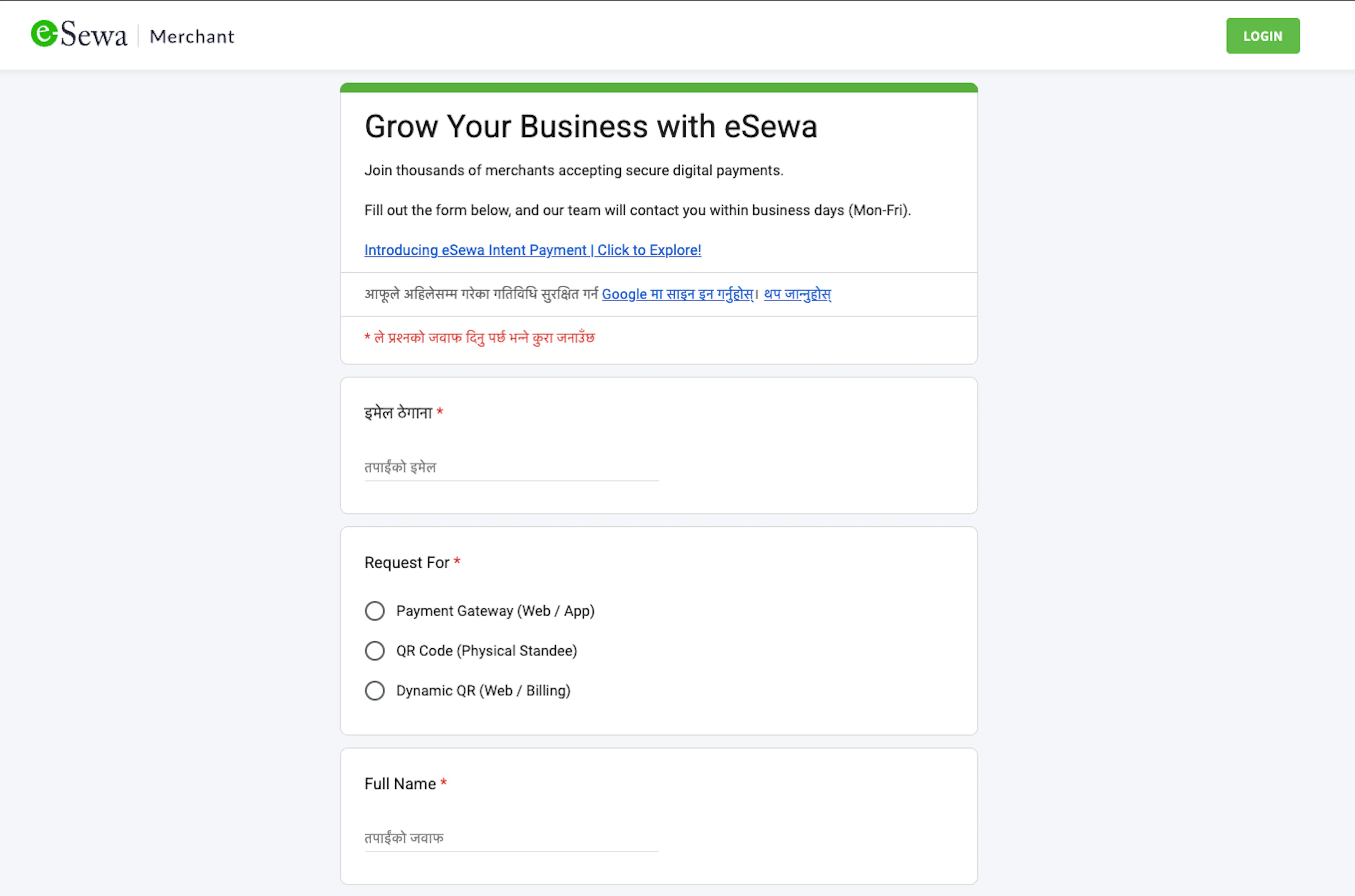
Register as an eSewa merchant
When you are ready to accept real payments, register at the eSewa merchant portal. This portal is also where you log in afterwards to view transactions and issue refunds.
Complete eSewa's merchant verification
eSewa issues production credentials only to a business registered in Nepal, after reviewing your documents. Be ready to provide:
- PAN or VAT certificate for your business
- Certificate of Registration for your business
- Business owner's citizenship document
- Tax clearance certificate
- A bank account at one of eSewa's member banks
None of this is needed for sandbox testing. You can test the integration with eSewa's published sandbox credentials while your merchant verification is still in progress.
Collect your production credentials
Once eSewa approves your merchant account, they issue your production Merchant/Product Code and Secret Key.
The Merchant/Product Code identifies your account and is not secret. The Secret Key is used to sign every payment request so eSewa can prove the request came from you, and eSewa rejects anything signed incorrectly. Treat it like a password.
For help obtaining or reissuing credentials, contact eSewa.
Adding Credentials to PayLexer
Open PayLexer Dashboard
Log in to your PayLexer dashboard and navigate to Payment Gateways → eSewa.
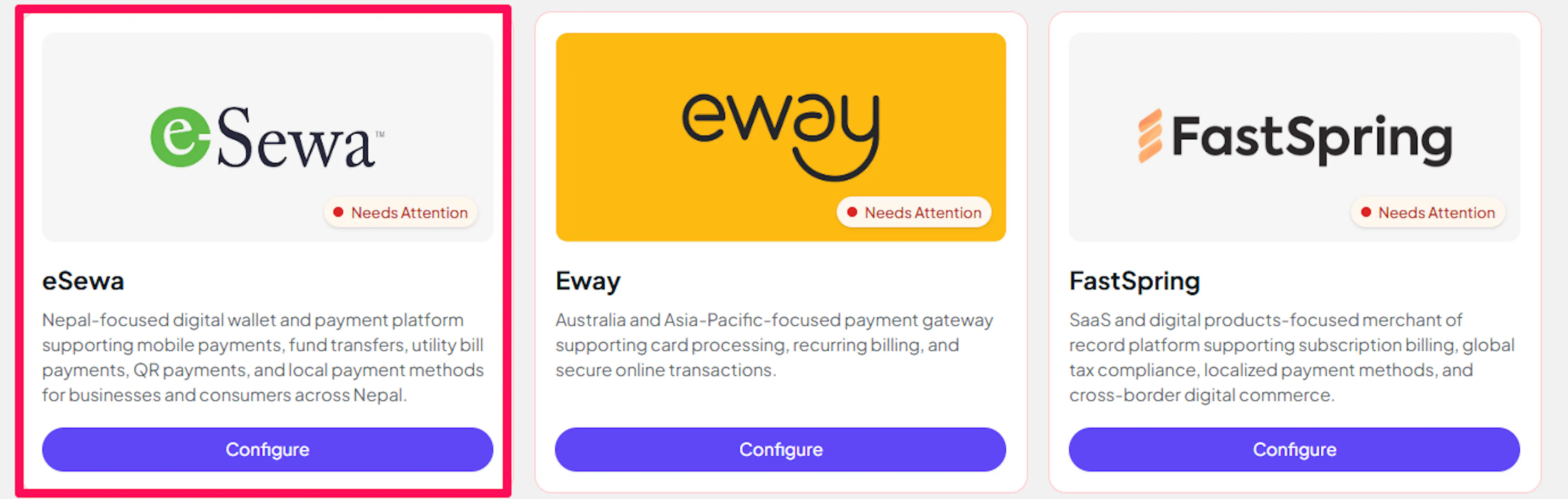
Enter your credentials
Paste the Merchant/Product Code and Secret Key into the corresponding fields. Use eSewa's sandbox pair in the Test fields and your production pair in the Live fields.
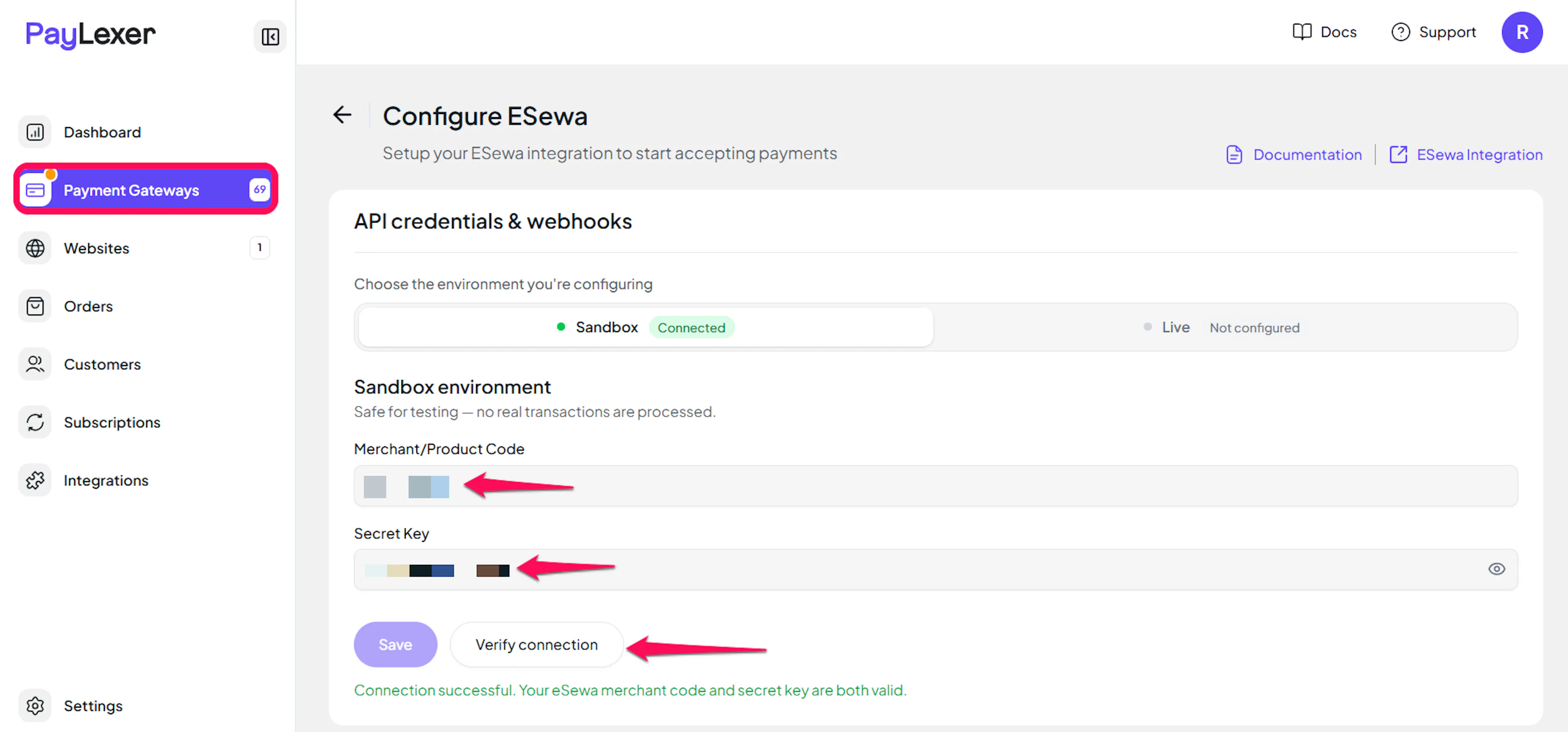
Understanding Live/Production and Sandbox Settings:
| Environment | Purpose |
|---|---|
| Live / Production | Used for real transactions. |
| Test / Sandbox | Used for testing only. No real money is processed. |
How PayLexer selects credentials:
- Debug/Test mode ON → Test credentials are used
- Debug/Test mode OFF → Live credentials are used
Test and save
Click Save to save your configuration and verify your credentials. Click Verify Connection to test the connection.
The test checks both fields and tells you which one is wrong: an incorrect Secret Key and an unrecognised Merchant/Product Code produce different messages.
You may see an unpaid test entry in your eSewa account. eSewa only validates credentials when a payment request is actually submitted, so verifying your connection creates a real but unpaid booking, labelled with a paylexer-credential-test- prefix. No money moves and the booking expires on its own, so you can safely ignore it.
Webhooks (Not Supported)
eSewa does not currently support webhook integration.
- Payment updates are handled directly within eSewa's processing flow
- Real-time event notifications are not available
- Payment status updates occur through standard API polling
There is nothing for you to register or configure. PayLexer confirms each payment with eSewa at the moment the shopper returns to your site, and re-checks any order left unresolved roughly every 30 minutes, so a shopper who closes their browser mid-payment does not strand the order.
eSewa sends no payment notifications, so some updates rely on scheduled checks. Cancelled or abandoned payments may remain pending for up to 30 minutes, and portal-issued refunds appear in PayLexer within about the same timeframe.
Integrate eSewa to Your Website
If you have already added and configured your site, you can enable eSewa in your existing setup.
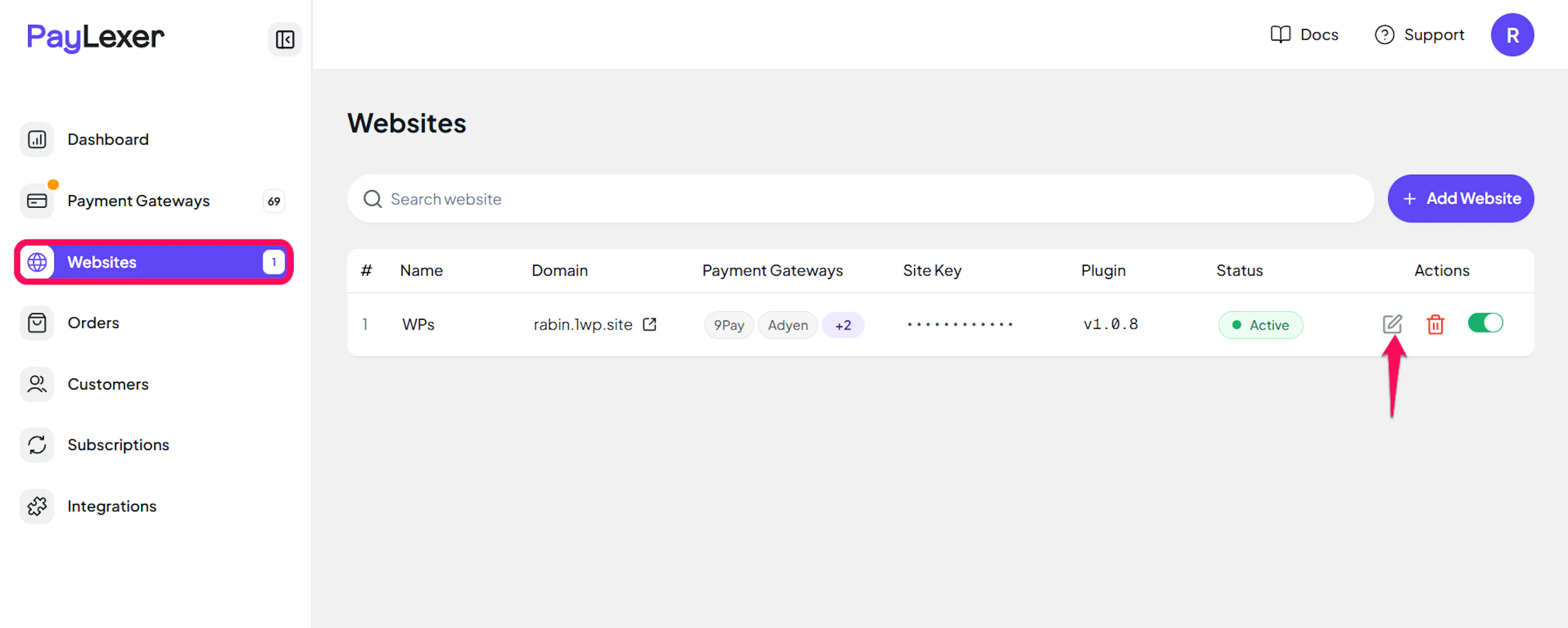
Go to Websites
Navigate to Websites in your PayLexer dashboard.
Edit your website
Click the Edit Icon of your added website.
Enable eSewa
Click the checkbox to enable eSewa for the website.
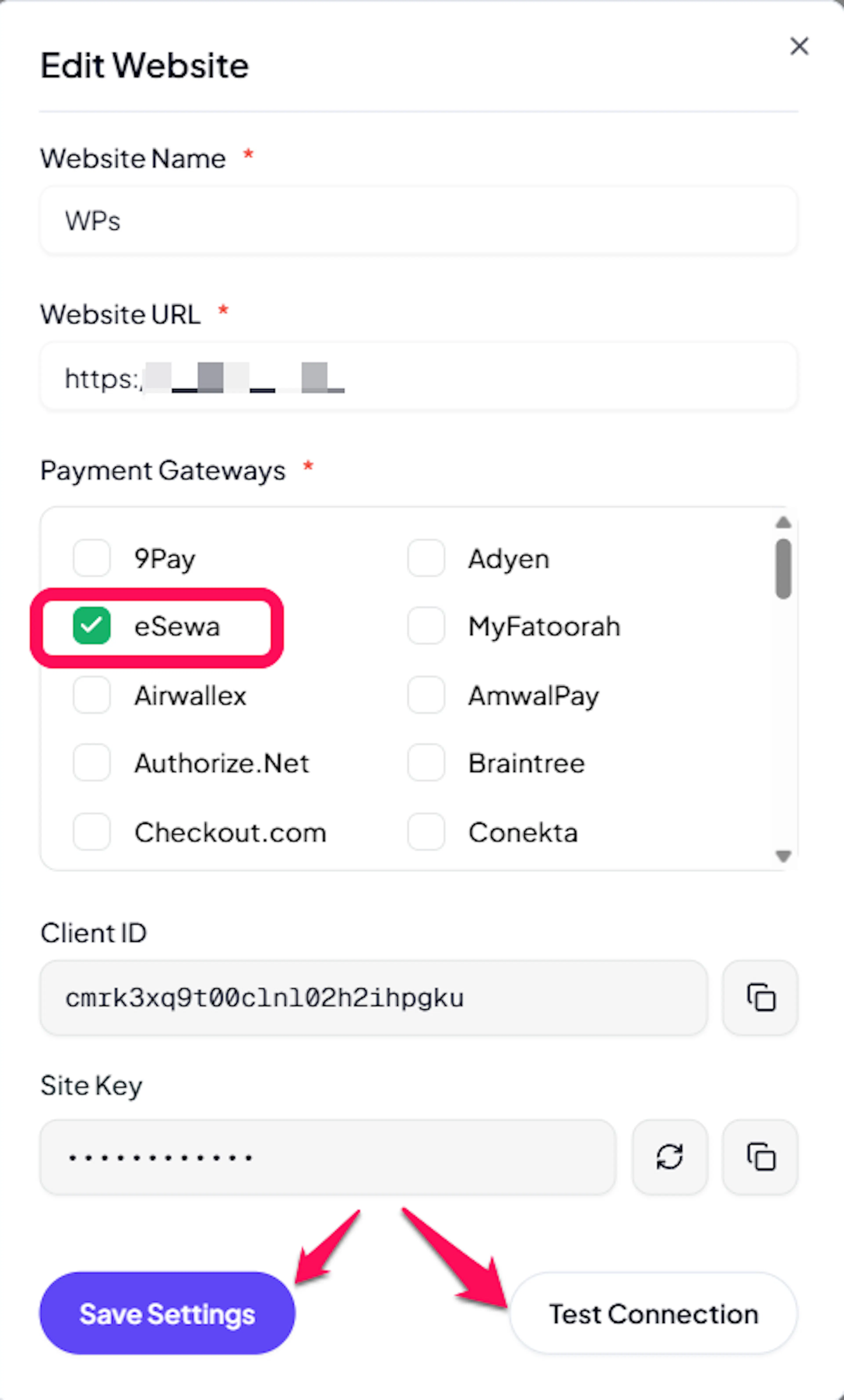
eSewa is now active for this website. Run a test transaction before switching off Debug/Test mode.
If you haven't added a website yet, Continue to Add Your Website →
Troubleshooting
Best Practices
- Test in sandbox before enabling production. eSewa publishes working sandbox credentials, so you can complete a full test payment with Debug/Test mode ON and confirm the order updates in PayLexer before going live.
- Price in NPR only. eSewa settles exclusively in Nepalese Rupees, and an order in any other currency is refused before the shopper reaches eSewa rather than being charged at the wrong value.
- Keep your Secret Key confidential, and ask eSewa to reissue it if you suspect it has been exposed. The Merchant/Product Code is not sensitive and is sent with every request.
- Allow up to 30 minutes for an abandoned payment to settle as failed, and do not treat a briefly pending order as a fault.
- Use a different gateway for any recurring billing, since eSewa handles one-time payments only.
FAQs
Still Have Questions?
- eSewa Support: Contact Support
- PayLexer Support: Contact Support